Introduction
A resume tells recruiters what you know. A developer portfolio shows what you can actually build.
For final-year students and freshers, this difference matters a lot. Many students write the same skills on their resume: HTML, CSS, JavaScript, Python, Java, PHP, React, Node.js, Django, MySQL, or MongoDB. But recruiters, internship mentors, and project evaluators do not trust skills only because they are listed.
They look for proof.
That proof can be your portfolio website, GitHub repositories, live project demos, screenshots, project documentation, and clear explanations of your work.
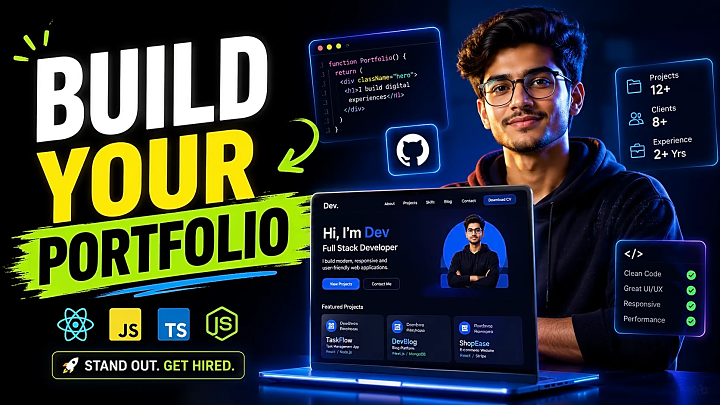
A good developer portfolio does not need heavy animation or expensive design. It needs clarity, working projects, clean presentation, and honest technical explanation. In this guide, you will learn how to build a developer portfolio in 2026, what sections to include, which projects to showcase, how to write project case studies, and how to make your portfolio useful for placements, internships, freelancing, and interviews.
Quick Answer: What Is a Developer Portfolio?
A developer portfolio is a personal website or online profile that showcases your coding skills, projects, source code, live demos, resume, GitHub, LinkedIn, and contact details.
For students, the best developer portfolio includes 3–5 strong projects with:
- Problem statement
- Tech stack
- Key features
- Screenshots
- GitHub repository
- Live demo link
- Your role in the project
- Short learning outcome
A strong portfolio should answer three questions quickly:
- What can you build?
- Which technologies do you know?
- Why should someone trust your skills?
Why Final-Year Students Need a Developer Portfolio
A developer portfolio is not only for experienced software engineers. It is even more useful for students because most fresher resumes look similar.
A portfolio helps you stand out because it shows completed work instead of only listing technologies. For example, writing “I know PHP and MySQL” is less powerful than showing an Online Food Ordering System with user login, cart, checkout, admin panel, order tracking, database tables, screenshots, and a live demo.
A student developer portfolio can help with:
- Internship applications
- Campus placement interviews
- Freelance client trust
- LinkedIn profile credibility
- GitHub profile visibility
- Final-year project presentation
- Viva and technical interview preparation
For final-year students, the portfolio can also connect your academic project, source code, report, PPT, screenshots, and demo into one professional proof page.
What Should a Developer Portfolio Include?
A strong developer portfolio should be simple, clear, and project-focused. Do not try to impress visitors with too much design. Impress them with useful proof.
1. Hero Section
The hero section is the first screen visitors see. Keep it direct.
Include:
- Your name
- Your target role
- One-line value statement
- Resume download button
- GitHub and LinkedIn links
- Best project link
Example:
“Hi, I’m Rahul Sharma, a final-year B.Tech CSE student building full-stack web applications using React, Node.js, Python, and MySQL.”
2. About Section
Your About section should be short and specific. Write 5–7 lines about your degree, skills, career direction, and the type of projects you enjoy building.
Avoid generic lines like “I am passionate about technology.” Instead, write what you actually build.
Example:
“I enjoy building full-stack management systems with authentication, dashboards, database operations, reports, and admin panels.”
3. Skills Section
Group your skills instead of writing one long list.
|
Category |
Skills |
|
Frontend |
HTML, CSS, JavaScript, React, Bootstrap, Tailwind |
|
Backend |
Node.js, Express, PHP, Django, Flask |
|
Database |
MySQL, MongoDB, SQLite, Firebase |
|
Tools |
Git, GitHub, VS Code, Postman |
|
Concepts |
REST API, CRUD, MVC, Authentication, Deployment |
This makes your web developer portfolio easier to scan.
4. Projects Section
The projects section is the most important part of your portfolio. Add 3–5 strong projects instead of 10 weak ones.
Each project should include:
- Project title
- Problem solved
- Target users
- Tech stack
- Key features
- Your contribution
- Screenshots
- GitHub link
- Live demo link
- What you learned
Example:
“College Event Management System — A PHP and MySQL web application where students can register for events, admins can manage event details, and QR-based tickets can be generated for attendance.”
Copy This Developer Portfolio Layout
Use this structure if you are building your first portfolio website:
|
Portfolio Section |
Purpose |
What to Add |
|
Hero |
First impression |
Name, role, resume, GitHub, best project |
|
About |
Background |
Degree, skills, target role |
|
Skills |
Technical proof |
Grouped tech stack |
|
Featured Project |
Main proof |
Final-year or best full-stack project |
|
Other Projects |
Range |
2–4 supporting projects |
|
GitHub Proof |
Code credibility |
Pinned repositories, README, commits |
|
Resume |
Hiring support |
Downloadable PDF |
|
Contact |
Conversion |
Email, LinkedIn, contact form |
This structure works for a software developer portfolio, web developer portfolio, and GitHub portfolio for freshers.
Best Types of Projects for a Developer Portfolio
Your portfolio should show practical ability. Choose projects that solve real problems.
|
Project Type |
Example |
Best For |
Portfolio Value |
|
CRUD Web App |
Library Management System |
Beginners |
Shows database and logic |
|
Full-Stack App |
Online Food Ordering System |
Intermediate |
Shows frontend, backend, database |
|
Dashboard App |
Expense Tracker |
Intermediate |
Shows charts and data handling |
|
AI/ML Project |
Face Recognition Attendance |
Advanced |
Shows model integration |
|
API Project |
Weather or Movie App |
Beginners |
Shows API usage |
|
Final-Year Project |
College ERP System |
Advanced |
Shows complete workflow |
|
E-Commerce App |
Online Shopping Website |
Intermediate |
Shows cart, orders, admin panel |
For final-year students, the best project is usually a complete system with login, dashboard, database, reports, admin panel, and real-world workflow.
If you do not have a strong project yet, explore final-year project ideas, source code examples, or live project demos before selecting what to showcase.
Project Case Study Template
Do not show projects like an image gallery. Treat each project like a mini case study.
Use this format:
|
Case Study Element |
What to Write |
|
Project Title |
Name of the project |
|
Problem |
What issue does it solve? |
|
Target Users |
Students, admins, customers, staff, etc. |
|
Tech Stack |
Frontend, backend, database, tools |
|
Main Features |
Login, dashboard, CRUD, reports, payments, etc. |
|
Your Role |
What you designed, coded, integrated, or tested |
|
Screenshots |
Dashboard, forms, reports, admin panel |
|
GitHub Link |
Clean repository with README |
|
Live Demo |
Hosted version or demo video |
|
Learning Outcome |
What you improved technically |
This format helps recruiters and teachers understand your thinking, not only your design.
GitHub Repository Checklist
A project without a clean GitHub repository looks incomplete. Your GitHub should make the project easy to understand.
|
GitHub Element |
Required? |
Why It Matters |
|
README file |
Yes |
Explains the project clearly |
|
Screenshots |
Yes |
Shows UI quickly |
|
Installation steps |
Yes |
Makes the project testable |
|
Tech stack |
Yes |
Shows tools used |
|
Features list |
Yes |
Helps recruiters scan |
|
Folder structure |
Recommended |
Shows clean organization |
|
Demo link |
Recommended |
Builds trust |
|
License |
Optional |
Useful for open-source projects |
A strong README should include the project overview, features, setup steps, database instructions, screenshots, and login credentials for demo testing if applicable.
How to Build a Developer Portfolio Step by Step
Step 1: Decide Your Target Role
Before designing your portfolio, decide what type of role you want.
Examples:
- Frontend Developer
- Backend Developer
- Full Stack Developer
- Python Developer
- Java Developer
- MERN Stack Developer
- Data Science Intern
- Machine Learning Intern
Your portfolio should match your target role. A frontend portfolio should highlight UI, responsiveness, and React projects. A backend portfolio should highlight APIs, databases, authentication, and system logic.
Step 2: Select Your Best Projects
Choose projects that you can explain confidently.
Ask yourself:
- Does this project solve a real problem?
- Can I explain the code?
- Does it have screenshots or a demo?
- Is the GitHub repository clean?
- Does it match my target job role?
Do not add copied templates or projects you cannot explain in an interview.
Step 3: Build the Website
Beginners can use HTML, CSS, and JavaScript. Intermediate students can use React, Next.js, Bootstrap, or Tailwind CSS.
Keep the design clean:
- Simple navigation
- Fast loading
- Mobile-friendly layout
- Clear buttons
- Readable fonts
- Project cards with screenshots
Step 4: Add GitHub and Live Demo Links
Every strong project should have at least one proof link. Ideally, add both GitHub and live demo links.
For live demos, you can use GitHub Pages for static portfolios, Netlify for frontend projects, Vercel for React or Next.js projects, and custom hosting for PHP or full-stack applications.
Step 5: Add Resume and Contact Details
Add a resume download button and keep the resume aligned with your portfolio. If your resume says “React Developer,” your portfolio should show at least one React project.
Your contact section should include:
- GitHub
- Optional contact form
- City or location, if useful
Step 6: Test Before Publishing
Before sharing your portfolio, check:
- Does it work on mobile?
- Are all buttons clickable?
- Do GitHub links open correctly?
- Are images loading?
- Is the resume updated?
- Are project descriptions clear?
- Is the contact form working?
Common Mistakes Students Make
Adding Too Many Weak Projects
Three strong projects are better than ten basic projects. Avoid filling your portfolio with calculators, to-do lists, and copied templates unless you are using them as beginner practice.
No Project Explanation
A project card with only a title and image is not enough. Explain the problem, features, tech stack, and your role.
Poor GitHub README
A messy repository creates doubt. Add setup instructions, screenshots, features, and database steps.
No Live Demo
A live demo helps recruiters quickly test your project. If hosting is not possible, add a short demo video.
Fake Skills
Do not mention technologies you cannot explain. Interviewers may ask direct questions from your portfolio.
Recruiter-Ready Portfolio Checklist
Before applying for internships or placements, make sure your portfolio has:
- Clear role statement
- Resume download button
- 3–5 strong projects
- GitHub links
- Live demos or demo videos
- Project screenshots
- Clean README files
- Mobile responsive design
- Updated LinkedIn link
- Contact email
- No spelling mistakes
- No broken buttons
FAQ
What is a developer portfolio?
A developer portfolio is an online profile or website that showcases your projects, skills, source code, live demos, resume, GitHub, LinkedIn, and contact details.
How do I build a developer portfolio as a student?
Start with a simple website, add your best 3–5 projects, write project case studies, include GitHub and live demo links, and connect your resume and LinkedIn.
How many projects should I include in my portfolio?
For students and freshers, 3–5 strong projects are enough. Focus on complete, relevant, and explainable projects.
Is GitHub enough for a developer portfolio?
GitHub is important, but a portfolio website gives better presentation. Use GitHub for code and a portfolio website for explanation, screenshots, and contact details.
Which projects are best for a developer portfolio?
Full-stack apps, final-year projects, dashboard apps, AI/ML projects, e-commerce systems, and management systems are strong portfolio choices.
Can I add my final-year project to my portfolio?
Yes. Your final-year project can be the strongest part of your portfolio if it has clear features, screenshots, documentation, source code, and a demo.
Which platform is best for hosting a portfolio?
GitHub Pages is good for static portfolios, Netlify is good for frontend projects, Vercel is strong for React and Next.js projects, and custom hosting works better for PHP or full-stack projects.
Can I make a developer portfolio without experience?
Yes. Use academic projects, mini projects, final-year projects, internships, open-source contributions, and self-built practice projects.
Conclusion
A developer portfolio is one of the best ways for final-year students and freshers to prove their skills. It connects your resume, GitHub, projects, source code, live demos, and career goals into one professional profile.
The main rule is simple: do not just say you know coding. Show what you have built.
Start with a clean layout, select your best projects, write clear project case studies, add GitHub and live demo links, and keep improving your portfolio as you learn. Whether you are applying for internships, placements, freelancing, or higher studies, a well-built developer portfolio can give you a strong advantage.