01 Source Code Only
₹99
One-time Payment
- Complete project source code
- Database / data resources
- Dependencies & configuration
- README / setup guide
- Instant download access
Get runnable AI-Based IT Support Chatbot Final Year Project Source Code with database files, project setup instructions, live demo options and installation support. This project resource helps students understand the implementation, modules, workflow and technical architecture of a complete NODE-JS project.

Hover to zoom · Click to expand
Simple pricing. Instant access. Secure checkout.
01 Source Code Only
One-time Payment
02 Code + Setup Support
One-time Payment
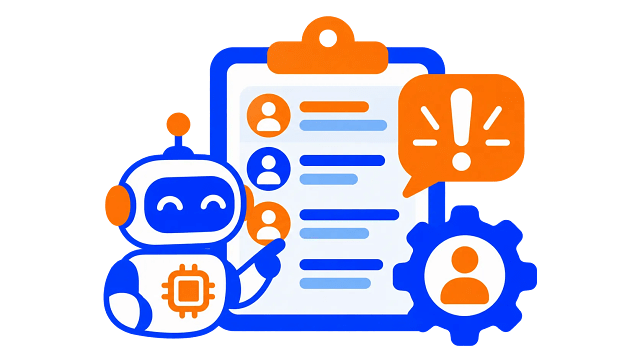
AI-Based IT Support Chatbot and Ticket Desk is a full-stack MERN application designed for internal IT support management in enterprises, colleges, campuses, and organizations. The system allows employees to chat with an AI-powered support assistant, raise IT support tickets, track ticket status, receive notifications, and submit satisfaction feedback after support resolution.
The platform includes two separate areas: an Employee/User Portal and an Admin Operations Console. Employees can register, log in, use the AI chat assistant, create support tickets with category and priority, view ticket replies, manage notifications, check FAQs, submit feedback, and update their profile. Administrators can manage users, admins, tickets, FAQs, knowledge base articles, brand settings, feedback, AI chatbot settings, OpenAI configuration, broadcast notifications, reports, analytics, and system settings.
This project is suitable for B.Tech, M.Tech, BCA, MCA, BE, ME, BSc, and MSc students who need a practical final year project, major project, or minor project based on IT helpdesk management, AI chatbot workflow, ticket desk automation, MERN stack development, JWT authentication, MongoDB database design, and admin dashboard functionality. FileMakr can provide this project with source code, project report, documentation, and setup support for academic submission.
| Role | Password | |
|---|---|---|
| Administrator | [email protected] |
Password123! |
| Sample Employee | [email protected] |
Password123! |
All seeded employee accounts use:
Password123!
Examples mentioned in the project details include:
[email protected]
[email protected]
/uploads| Layer | Technology |
|---|---|
| Runtime | Node.js with ES modules |
| Backend API | Express 4 |
| Validation | express-validator |
| Authentication | JWT, bcryptjs |
| Database | MongoDB |
| ODM | Mongoose 8 |
| File Uploads | Multer |
| AI Integration | OpenAI SDK |
| Frontend | React 18 |
| Routing | React Router 6 |
| Styling | Tailwind CSS |
| Icons | Lucide icons |
| Build Tool | Vite 5 |
| Security / Config | CORS, environment variables |
Copy:
server/.env.example
Create:
server/.env
Add these environment variables:
PORT=5000
MONGO_URI=mongodb://127.0.0.1:27017/it-support-chatbot
JWT_SECRET=change-this-to-a-long-random-secret
OPENAI_API_KEY=
OPENAI_API_KEY is optional. If it is not configured, AI chat and suggestion features degrade gracefully where implemented.
From the repository root:
npm run install:all
This installs dependencies for both server/ and client/.
Make sure MongoDB is running, then run:
npm run seed
The seed script wipes relevant collections and inserts demo users, admin, tickets, FAQs, knowledge rows, brand, categories, intent rules, sample chat, feedback, and settings.
From the repository root:
npm run dev
This starts:
| Service | URL |
|---|---|
| API | http://localhost:5000 |
| Client | http://localhost:5173 |
The Vite client proxies /api and /uploads to the API during development.
npm run dev --prefix server
npm run dev --prefix client
npm run build
The production build outputs static assets to:
client/dist/
Start the API in production-style mode:
npm run start --prefix server
| Area | URL |
|---|---|
| Public Landing | http://localhost:5173 |
| User Login | http://localhost:5173/login |
| User Register | http://localhost:5173/register |
| User Portal | http://localhost:5173/app |
| Admin Login | http://localhost:5173/admin/login |
| Admin Console | http://localhost:5173/admin |
| API Base | http://localhost:5000 |
| API Health | /api/health |
| Uploads | /uploads |
| Role | Password | |
|---|---|---|
| Administrator | [email protected] |
Password123! |
| Sample Employee | [email protected] |
Password123! |
All seeded employee accounts use:
Password123!
Examples mentioned in the project details include:
[email protected]
[email protected]