AI Syllabus Breakdown Planner Final Year Project | Source Code
LIMITED TIME
Get Source Code ₹99
Real project UI Full source included

No live demo yet — message us for access

Our team shares demo access on WhatsApp within minutes

AI Syllabus Breakdown Planner Final Year Project

Complete final-year project source code with frontend, backend, database, and setup guide. Instant download after secure payment.

  • NODE-JS Stack
  • Instant Download
Secure CCAvenue payment Instant download link WhatsApp support

Choose your plan

Source Code Only

Full ZIP with frontend, backend, database & documentation.

₹99 one-time
  • Complete project source files
  • Database script included
  • How-to-run guide

What's in your download

Review features, setup steps, and credentials before you pay.

Project Overview

Description, tech stack, and what is included

Full source Frontend + backend
Database .sql file
Setup guide README included

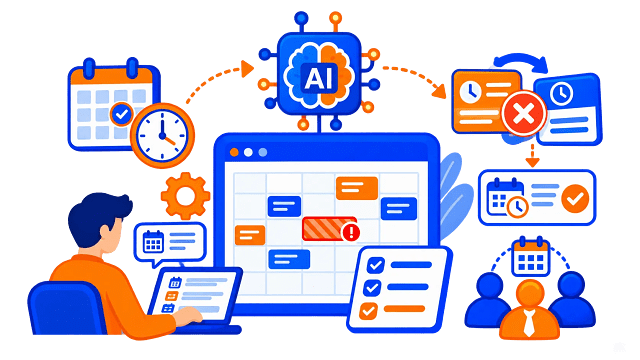
AI Syllabus Breakdown Planner is a full-stack MERN web application designed to help students convert any syllabus into a personalized day-wise study plan. Students can create or import a syllabus, set study preferences, generate a multi-day plan, track progress, access learning resources, export plans, and share read-only study plans with others. The system supports AI-assisted task breakdown, YouTube learning resources, task-wise progress tracking, analytics charts, PDF/CSV export, and public sharing through token-based links.

The project includes a complete User Panel for students and a dedicated Admin Panel for managing users, syllabus templates, study plans, and syllabi across the platform. Users can create syllabi manually, use built-in templates, upload PDFs for topic extraction, generate 7–120 day plans, track daily micro-tasks, mark progress, view analytics, export PDF/CSV files, clone plans, and manage study goals. Admin can manage users, templates, plans, syllabi, roles, and platform-level records.

This project is suitable for B.Tech, M.Tech, BCA, MCA, BE, ME, BSc, and MSc students who need a practical final year project, major project, or minor project based on AI study planning, syllabus breakdown, student productivity, learning resource recommendation, PDF parsing, MERN stack development, JWT authentication, MongoDB database design, and admin dashboard functionality. FileMakr can provide this project with source code, project report, documentation, and setup support for academic submission

Technical snapshot

Project
AI Syllabus Breakdown Planner Final Year Project
Stack
NODE-JS
Includes
Code, DB, README
License
Academic submission
Secure CCAvenue payment · Instant download · Need help? WhatsApp us

Admin Features

Modules and controls available to administrators

  • Secure admin login in this final year project
  • Admin-only access
  • Dedicated dark-sidebar admin layout
  • Admin overview dashboard
  • View total users
  • View total plans
  • View total syllabi
  • View total templates
  • View weekly growth
  • View recent users
  • View latest registrations with role badges
  • View recent plans
  • View plan owner and status
  • Quick links to users, templates, plans, and syllabi
  • User management
  • Search users by name
  • Search users by email
  • Filter users by role
  • Paginated user table
  • Create user account
  • Add email, password, name, role, study goal, and difficulty
  • Update user details
  • Change user role
  • Reset user password
  • Delete user
  • Cascade delete related plans, syllabi, bookmarks, and resources
  • Safeguard against deleting yourself
  • Safeguard against deleting last admin
  • Template management
  • View all syllabus templates
  • View template category
  • View topic count
  • Create syllabus template
  • Add template name
  • Add template description
  • Add template category
  • Add topics through editor
  • Update template metadata
  • Update template topics
  • Delete template
  • Keep existing user syllabi unaffected after template deletion
  • Study plan management
  • Search study plans
  • Filter plans by status
  • View active, paused, and completed plans
  • View full day schedule in modal
  • View plan owner information
  • Update plan name
  • Update plan status
  • Update study pace
  • Update difficulty
  • Update total days
  • Delete study plan
  • Remove associated resources and bookmarks
  • Syllabi management
  • View all user syllabi across platform
  • View syllabus owner details
  • View syllabus topics list in modal
  • Delete syllabus from platform

The admin panel includes overview, user management, template management, study plan management, and syllabi management modules

User Features

What end users can do in this application

  • User registration in this final year project
  • User login
  • JWT stored in localStorage
  • Forgot password using OTP
  • Create account with name, email, and password
  • Dashboard with sidebar navigation
  • Dashboard stat cards
  • View total plans
  • View completed days
  • View active plans
  • View syllabi count
  • View all study plans with progress bars
  • View study plan status badges
  • View recent syllabi
  • View completed vs remaining pie chart
  • Quick action links
  • Create syllabus
  • Generate plan
  • Manage profile
  • My Syllabi module
  • View all syllabi
  • View topic count
  • View source and dates
  • Create syllabus
  • Edit syllabus
  • Delete syllabus with confirmation modal
  • Generate plan directly from syllabus
  • Create syllabus using built-in templates
  • Search templates
  • One-click template-based syllabus creation
  • Manual syllabus creation
  • PDF syllabus upload
  • Extract topics from syllabus PDF
  • Add topics manually
  • Edit topics
  • Remove topics
  • Add topic weight as low, medium, or high
  • Minimum 4 topics required before generating plan
  • Generate study plan
  • Select syllabus
  • Add plan name
  • Generate 7–120 day plan
  • Select study pace as light, normal, or fast
  • Select difficulty as beginner, intermediate, or advanced
  • Add revision days
  • Add practice days
  • AI-generated day-wise plan
  • Fallback template generation when OpenAI key is missing
  • Study plan view
  • View completed, remaining, progress percentage, and streak
  • Filter days by all, pending, partial, completed, or skipped
  • Expand day cards
  • View topics
  • View micro-tasks
  • View estimated time
  • Mark micro-tasks with checkboxes
  • Track read, watch, notes, and practice tasks
  • Mark day as completed
  • Mark day as partial
  • Mark day as skipped
  • Mark day as pending
  • Load YouTube videos per day
  • Refresh learning resources
  • Bookmark resources
  • View plan analytics
  • Export study plan as PDF
  • Export study plan as CSV
  • Generate share link
  • Clone plan
  • Delete plan
  • Plan analytics
  • View completion percentage
  • View days done
  • View streak
  • View remaining days
  • View progress over time line chart
  • View completed vs remaining pie chart
  • View weekly consistency bar chart
  • View topic completion progress bars
  • Profile management
  • Update name
  • View read-only email
  • Set study goal type
  • Set daily study minutes
  • Set default difficulty
  • Set timezone
  • Select language as English, Hindi, or Hinglish
  • Set reminder time
  • Enable or disable reminders

The user panel includes dashboard, syllabi CRUD, syllabus creation/editing, AI plan generation, study plan view, plan analytics, and profile settings.

Other Features

Additional capabilities included in the project

  • Full-stack MERN architecture
  • React 18 frontend
  • Vite development setup
  • React Router v6 routing
  • Axios API client
  • Recharts analytics charts
  • React Hot Toast notifications
  • React Icons
  • date-fns date formatting
  • Plus Jakarta Sans typography
  • Node.js backend
  • Express.js REST API
  • MongoDB database
  • Mongoose ODM
  • JWT authentication
  • bcryptjs password hashing
  • express-validator request validation
  • Multer PDF upload support
  • pdf-parse syllabus text extraction
  • OpenAI SDK integration
  • AI-generated day plans and micro-tasks
  • googleapis YouTube search integration
  • Nodemailer password reset OTP emails
  • PDFKit study plan PDF export
  • UUID share link tokens
  • dotenv environment configuration
  • CORS support
  • Public landing page
  • Shared plan read-only page
  • Built-in syllabus templates
  • PDF export
  • CSV export
  • Read-only public sharing
  • Bookmark learning resources
  • Dashboard analytics
  • Progress charts
  • Streak tracking
  • Seed data support
  • Demo users, templates, syllabi, plans, resources, and bookmarks

The technology stack includes Node.js, Express, MongoDB, Mongoose, JWT, bcryptjs, Multer, pdf-parse, OpenAI SDK, googleapis, Nodemailer, PDFKit, React, Vite, React Router, Axios, and Recharts.


Technology Used

Layer Technology
Frontend React 18, Vite
Routing React Router v6
API Client Axios
Charts Recharts
Notifications React Hot Toast
Icons React Icons
Date Utility date-fns
Backend Node.js, Express.js
Database MongoDB
ODM Mongoose
Authentication JWT, bcryptjs
Validation express-validator
File Upload Multer
PDF Parsing pdf-parse
AI OpenAI SDK
Learning Resources googleapis / YouTube API
Email Nodemailer
Export PDFKit
Share Links UUID
Environment dotenv
Dev Tool concurrently

Built-in Syllabus Templates

After seeding, the project includes 10 templates:

Template Category
DSA Basics programming
MERN Basics web
DBMS database
Operating Systems systems
Computer Networks networking
Java programming
Python programming
Machine Learning Basics ai
System Design web
Aptitude & Reasoning general

How to Run

Step-by-step setup on your laptop or PC

Step 1: Open project folder


cd "ai based syllabus breakdown planner"


Step 2: Install backend dependencies


npm install


Step 3: Install frontend dependencies


cd client && npm install && cd ..


Step 4: Create environment file


cp .env.example .env


Step 5: Configure environment variables

Update .env with:


PORT=5000

MONGODB_URI=mongodb://localhost:27017/syllabus-planner

JWT_SECRET=your_strong_random_secret

FRONTEND_URL=http://localhost:3000

NODE_ENV=development

OPENAI_API_KEY=your_openai_api_key

YOUTUBE_API_KEY=your_youtube_api_key

GOOGLE_API_KEY=your_google_api_key

SMTP_HOST=smtp.gmail.com

SMTP_PORT=587

[email protected]

SMTP_PASS=your_gmail_app_password

OPENAI_API_KEY, YOUTUBE_API_KEY, GOOGLE_API_KEY, and SMTP values are optional depending on the features required. SMTP is required only for forgot-password email OTP.


Step 6: Start MongoDB

Make sure MongoDB is running and reachable at:


mongodb://localhost:27017/syllabus-planner


Step 7: Seed demo data


npm run seed

The seed command populates the database with demo users, templates, syllabi, plans, resources, and bookmarks. It wipes existing records before inserting seed data.


Step 8: Start application

Recommended single command:


npm run dev

Or run separately:


npm run server

cd client && npm run dev

Login Credentials

Default demo accounts for testing after setup

Password for all seeded accounts:


password123

Admin Login

Email Role Panel
[email protected] Admin http://localhost:3000/admin

Recommended Test Users

Email Name Seeded Data
[email protected] Demo User 2 active plans, bookmarks
[email protected] John Doe DSA + MERN plans
[email protected] Jane Smith 30-day DBMS plan
[email protected] Sarah Williams Completed 14-day plan
[email protected] Alex Johnson Paused plan
[email protected] Priya Sharma Advanced 21-day plan

Other Seeded Users

Email Name
[email protected] Mike Brown
[email protected] Emma Davis
[email protected] David Wilson
[email protected] Rahul Kumar
[email protected] Neha Patel

License

Usage terms for academic and personal projects

Related Tags

Search terms and categories for this source code

AI Syllabus Breakdown Planner Final Year Project Source Code Final Year NODE-JS Project Ready-to-Run Code With Database File Plagiarism-Free Faculty Approved AI Syllabus Breakdown Planner syllabus planner project AI study planner project study timetable generator day wise study plan system syllabus breakdown system MERN stack education project MongoDB Express React Node project final year project major project minor project source code project report AI education project student productivity system PDF syllabus upload project YouTube learning resource project progress tracking system study analytics dashboard admin panel education project