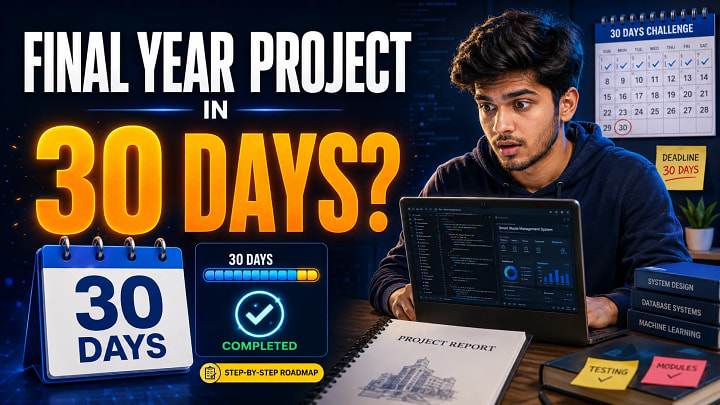
Your final year project deadline is close. The code is incomplete, the report is pending, the PPT is not ready, and viva preparation has not started.
This situation is common for final year students. The problem is not always lack of effort. Most students lose time because they work without a clear project plan.
You can complete a final year project in 30 days if you choose a feasible topic, control the scope, finish core modules first, prepare documentation alongside development, and test everything before submission.
This guide gives you a practical 30-day roadmap to complete your academic project with confidence.
Quick Answer: How Can You Complete a Final Year Project in 30 Days?
You can complete a final year project in 30 days by dividing the work into four phases:
- Planning: topic, scope, modules, and technology stack
- Design: database, ER diagram, DFD, UI flow, and SRS
- Development: login, dashboard, CRUD modules, reports, and user features
- Final preparation: testing, screenshots, project report, PPT, demo, and viva
The smartest approach is to build a minimum viable project first. Complete the main working modules, then improve the design, documentation, and extra features.
What Counts as a Complete Final Year Project Submission?
A complete final year project is not just source code. Most colleges expect a full submission package.
|
Deliverable |
Why It Matters |
|
Source code |
Shows working implementation |
|
Database file |
Required for running the project |
|
Project report |
Explains objectives, design, modules, testing, and results |
|
ER diagram / DFD / UML |
Shows system design and data flow |
|
Screenshots |
Proves module output |
|
PPT |
Helps during project presentation |
|
Test cases |
Shows validation and reliability |
|
Viva answers |
Helps you explain your work confidently |
If any one of these is missing, your project may look incomplete even if the code works.
30-Day Final Year Project Plan
|
Days |
Main Work |
Deliverables |
|
Day 1–3 |
Topic selection |
Final topic, problem statement, objectives |
|
Day 4–5 |
Scope planning |
Modules, users, features, technology stack |
|
Day 6–8 |
System design |
ERD, DFD, database tables, UI flow |
|
Day 9–18 |
Development |
Login, dashboard, CRUD modules, main features |
|
Day 19–21 |
Testing |
Test cases, validation, bug fixing |
|
Day 22–25 |
Documentation |
Report chapters, screenshots, diagrams |
|
Day 26–27 |
PPT |
Clean project presentation |
|
Day 28–30 |
Demo and viva |
Final testing and explanation practice |
Step 1: Choose a Feasible Topic
Do not choose a topic only because it sounds advanced. In a 30-day deadline, feasibility matters more than complexity.
Good project topics for a 30-day plan include:
- Library Management System
- Online Examination System
- Student Management System
- Hospital Management System
- PG/Hostel Finder System
- Online Food Ordering System
- Attendance Management System
- Daily Expense Tracker
- Event Management System
- E-Commerce Website
Choose a topic that has clear modules, a simple database, easy documentation, and a practical viva explanation.
Step 2: Define Minimum Viable Project Scope
A minimum viable final year project includes only the features required to make the system complete.
For example, an Online Examination System can include:
- Admin login
- Student login
- Question management
- Exam creation
- Random questions
- Result generation
- Student result history
You do not need AI proctoring, payment gateway, live video monitoring, or advanced analytics if the deadline is short.
A complete simple project is better than an incomplete complex project.
Step 3: Select the Right Technology Stack
Choose a stack you can build and explain.
|
Technology Stack |
Best For |
30-Day Suitability |
|
PHP + MySQL |
Management systems, CRUD apps, admin panels |
Very good |
|
Python Flask / Django |
Dashboards, ML apps, automation, prediction systems |
Good |
|
MERN Stack |
Modern web apps with APIs and React UI |
Good if basics are clear |
|
Java + MySQL |
OOP-based academic systems |
Moderate |
|
HTML/CSS/JS + Database |
Mini projects and simple portals |
Good for minor projects |
The best stack is the one you can complete, run, and explain during viva.
Step 4: Divide the Project into Modules
Module planning makes coding and documentation easier.
A typical final year project may include:
- User registration and login
- Admin dashboard
- User dashboard
- Profile management
- Category management
- Main data management
- Search and filter
- Booking/request/order module
- Reports
- Feedback/contact module
For example, a PG/Hostel Finder System may include Student, Owner, Admin, Room Listing, Booking Request, Review, and Report modules.
Step 5: Design Database and Diagrams Early
Do not start coding before database planning. Many student projects fail because tables are not structured properly.
Prepare these before development:
- SRS document
- Database tables
- Primary and foreign keys
- ER diagram
- DFD Level 0 and Level 1
- Use case diagram
- Basic UI wireframe
For a Library Management System, tables may include users, books, categories, authors, issue_records, returns, fines, and feedback.
Once the database is clear, coding becomes faster.
Step 6: Build Core Features First
In the first development phase, ignore unnecessary design effects and advanced features. Build what the examiner will check first.
Priority features:
- Login and authentication
- Admin dashboard
- Main CRUD modules
- User-side workflow
- Database validation
- Reports or result display
- Logout and session handling
After the core system works, improve UI, add charts, export options, notifications, or extra modules.
Step 7: Prepare the Project Report Alongside Coding
Do not leave the report for the final night. Write documentation while developing the project.
|
Report Section |
Best Time to Prepare |
|
Abstract and introduction |
Day 1–3 |
|
Existing and proposed system |
Day 4–5 |
|
Objectives and scope |
Day 4–5 |
|
SRS and requirements |
Day 6–8 |
|
System design and diagrams |
Day 6–8 |
|
Implementation |
Day 13–20 |
|
Testing |
Day 19–21 |
|
Screenshots |
After each module |
|
Conclusion and future scope |
Day 24–25 |
Take screenshots immediately after completing each module. This saves time during report and PPT preparation.
Step 8: Test the Project Properly
Testing protects you from demo failure.
|
Test Case |
Input |
Expected Output |
|
Valid login |
Correct email and password |
Dashboard opens |
|
Invalid login |
Wrong password |
Error message appears |
|
Add record |
Valid form data |
Record saved successfully |
|
Empty field |
Blank required field |
Validation error appears |
|
Delete record |
Existing record |
Record removed |
|
Search data |
Keyword input |
Matching records shown |
Test forms, links, database operations, login sessions, and output screens before submission.
Step 9: Prepare PPT and Viva Framework
Your PPT should be short, clean, and visual. Avoid long paragraphs.
Use this structure:
- Title
- Introduction
- Problem statement
- Objectives
- Technology used
- Modules
- System design
- Database design
- Screenshots
- Testing
- Advantages
- Future scope
- Conclusion
For viva, prepare answers for:
- Why did you choose this topic?
- What problem does your project solve?
- Which technology did you use and why?
- What are the main modules?
- How is data stored?
- What testing did you perform?
- What are the limitations?
- What future improvements are possible?
Practice explaining your project in 5–7 minutes.
7-Day Emergency Plan If You Started Late
If only one week is left, reduce the project scope immediately.
|
Day |
Emergency Task |
|
Day 1 |
Finalize topic and modules |
|
Day 2 |
Set up database and login |
|
Day 3–4 |
Build main CRUD modules |
|
Day 5 |
Add screenshots and testing |
|
Day 6 |
Complete report and PPT |
|
Day 7 |
Practice demo and viva |
Skip advanced features. Focus on a working project, clean documentation, and confident explanation.
What to Skip When Deadline Is Close
Avoid these unless your core project is already complete:
- Payment gateway
- AI-based features
- Complex animations
- Live chat
- Mobile app version
- Advanced deployment
- Too many dashboards
- Unnecessary APIs
These features look attractive but can waste time and increase errors.
Pro Tips to Complete Faster
- Use a daily checklist.
- Keep your project folder organized.
- Save backup copies of code and database.
- Prepare diagrams before writing the design chapter.
- Take screenshots after every completed module.
- Test the project on the final demo laptop.
- Prepare 20–30 viva questions.
- Do not change your topic after the first week.
FAQ: How to Complete Final Year Project in 30 Days
1. Can I complete a final year project in 30 days?
Yes. You can complete it in 30 days if you select a feasible topic, define limited scope, build core modules first, and prepare report and PPT alongside coding.
2. Which project is best for a 30-day deadline?
Library Management System, Online Examination System, Student Management System, Hospital Management System, PG/Hostel Finder, and Online Food Ordering System are good choices.
3. How many days should I spend on coding?
Spend around 10–15 days on coding. Keep the remaining days for planning, diagrams, testing, documentation, PPT, screenshots, demo, and viva.
4. Should I write the report after coding?
No. Prepare the report alongside development. This saves time and helps you remember module details clearly.
5. What should be included in the final year project report?
Include abstract, introduction, objectives, existing system, proposed system, SRS, design, database, implementation, testing, screenshots, conclusion, future scope, and references.
6. What is the fastest way to complete a project?
The fastest way is to choose a ready-feasible topic, build minimum required modules, avoid unnecessary features, document side by side, and test before submission.
7. Is source code enough for submission?
No. Most colleges also expect a report, PPT, diagrams, screenshots, database file, test cases, and viva explanation.
8. How do I prepare for project viva?
Understand your modules, database, technology stack, limitations, testing, and future scope. Practice a clear 5–7 minute explanation.
Conclusion
Completing a final year project in 30 days is possible when you stop working randomly and follow a structured roadmap.
Start with a practical topic. Define the scope. Choose a familiar technology stack. Build the core modules first. Prepare diagrams, report, screenshots, PPT, and viva answers along with development.
The goal is not to create the most complicated project. The goal is to submit a complete, working, well-documented academic project that you can confidently explain.