Introduction
Most students do not struggle with coding because they are lazy. They struggle because they spend too much time watching tutorials and too little time building.
You may understand loops, arrays, functions, classes, SQL commands, or HTML forms separately. But when someone asks you to create a working application with login, database, dashboard, CRUD operations, search, reports, and deployment, everything suddenly feels confusing.
That is where project-based learning helps.
Projects teach you how real software works. You learn how the frontend connects with the backend, how data moves into the database, why errors happen, how to test modules, and how to explain your code during viva or interviews.
For final year students, this is even more important. A project is not only an academic submission. It can become your GitHub portfolio, interview discussion point, and proof that you can build something practical.
Quick Answer
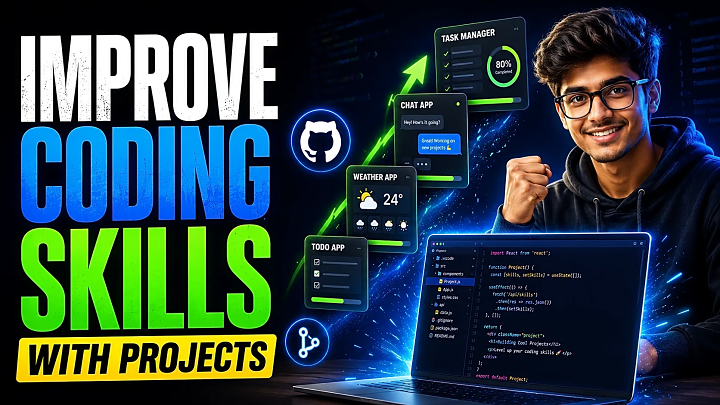
The best way to improve coding skills using projects is to start with small applications, build one feature at a time, debug errors yourself, document your process, push code to GitHub, and gradually move from basic logic projects to CRUD, database, full-stack, and portfolio-ready projects.
A good learning path looks like this:
Beginner project → CRUD project → database project → full-stack project → deployed project → GitHub portfolio project.
What Is Project-Based Coding Practice?
Project-based coding practice means learning programming by building working applications instead of only reading theory or copying tutorial code.
For example, learning SQL from notes teaches you commands. But building a library management system teaches you how to create tables, connect records, issue books, return books, calculate fines, and display reports.
That difference matters.
A real project forces you to combine many skills:
- logic building
- database design
- frontend forms
- backend processing
- user authentication
- validation
- debugging
- testing
- documentation
- deployment
This is why projects improve coding skills faster than passive learning.
Why Projects Improve Coding Skills Faster Than Theory
Theory teaches concepts. Projects teach decision-making.
When you build an online quiz system, you must decide how questions load, how answers are checked, how scores are calculated, how users log in, and how results are stored. These decisions improve your coding logic because you are solving a real workflow.
Projects also improve debugging. In tutorials, code usually works perfectly. In your own project, forms may not submit, database queries may fail, sessions may break, or images may not upload. Fixing these problems is where real learning happens.
A student who only studies syntax may know what a function is. A student who builds projects understands where to use functions, how to divide modules, and how to make the code easier to maintain.
Project Difficulty Ladder for Students
|
Level |
Project Type |
Best Examples |
Skills Improved |
|
Beginner |
Logic and UI projects |
Calculator, to-do app, number guessing game |
Conditions, loops, events, functions |
|
Easy-Medium |
CRUD projects |
Notes app, student management system |
Forms, database, add/edit/delete |
|
Medium |
Role-based projects |
Library system, complaint system, quiz system |
Login, sessions, admin panel, reports |
|
Medium-Hard |
Full-stack projects |
Food ordering, job portal, e-commerce website |
Authentication, cart, orders, dashboards |
|
Advanced |
Portfolio projects |
Chat app, AI recommender, analytics dashboard |
APIs, real-time features, ML, deployment |
Do not start with the hardest idea. Start with a project you can complete, then upgrade it.
30-Day Roadmap to Improve Coding Skills Using Projects
|
Days |
Focus |
What to Do |
|
Days 1–3 |
Choose project |
Select one clear problem and write the feature list. |
|
Days 4–6 |
Plan structure |
Create folders, pages, database tables, and user flow. |
|
Days 7–12 |
Build core module |
Complete registration, login, dashboard, and main CRUD feature. |
|
Days 13–17 |
Add logic |
Add search, filters, validation, reports, status updates, or calculations. |
|
Days 18–21 |
Debug and refactor |
Fix errors, rename files clearly, remove duplicate code, clean structure. |
|
Days 22–24 |
Test project |
Test forms, buttons, login, database records, and edge cases. |
|
Days 25–27 |
Document |
Create README, screenshots, setup steps, database import guide, and feature list. |
|
Days 28–30 |
Publish/demo |
Push to GitHub, deploy if possible, or record a demo video. |
This roadmap works well for students who want consistent progress without feeling overwhelmed.
Skill-to-Project Mapping
|
Skill You Want to Improve |
Best Project Type |
|
Coding logic |
Quiz system, expense tracker, booking system |
|
Database design |
Library management, student management, hospital management |
|
Frontend-backend connection |
Notes app, food ordering system, event management |
|
Authentication |
Login-based dashboard, admin/user panel |
|
Reports and calculations |
Payroll system, billing system, result management |
|
Portfolio building |
Deployed full-stack app with GitHub README |
|
Final year preparation |
Major project with documentation, diagrams, testing, and demo |
Choosing a project based on the skill you want to improve is better than choosing a project only because it sounds impressive.
Beginner to Advanced Project Sequence
If you are confused about where to start, follow this sequence:
- Build a calculator or to-do app.
- Build a notes app with add, edit, delete, and search.
- Add login and user-wise data.
- Build a student management system with database records.
- Add admin panel, reports, filters, and validation.
- Publish the project on GitHub.
- Deploy it or record a professional demo.
- Rebuild the same idea using a better framework like React, Django, Laravel, or Node.js.
This sequence teaches real progress. You are not jumping randomly from one tutorial to another. You are upgrading the same skill layer by layer.
DSA vs Projects: Which Should Students Focus On?
DSA and projects solve different problems.
DSA improves problem-solving, logic, patterns, time complexity, and interview thinking. Projects improve practical development, database handling, UI-backend connection, debugging, documentation, and deployment.
For students, the best approach is balance.
Use DSA for logic practice and projects for real application. For example, if you learn arrays and searching in DSA, apply that knowledge inside a project by building search filters, sorting records, or ranking results.
If your goal is placements, do both. If your goal is final-year submission or portfolio, projects need more focus.
How to Build One Project Properly
Start with one clear problem. For example: “Students need a simple system to store and manage notes.”
Then write the feature list:
- user registration
- login
- add note
- edit note
- delete note
- search note
- logout
Next, design the database. A notes app may need two tables: users and notes. Each note should connect to one user, so users only see their own notes.
Then build one module at a time:
- Create database.
- Build registration.
- Build login.
- Create dashboard.
- Add notes module.
- Add edit/delete.
- Add search.
- Improve UI.
- Test all flows.
- Write documentation.
This method prevents confusion because you always know what to build next.
GitHub Workflow for Better Learning
GitHub is not only for advanced developers. Students should use it from the beginning because it helps track progress and present work professionally.
A simple workflow is:
- create a repository
- add project files
- write a clear README
- commit after completing each feature
- add screenshots
- explain setup steps
- mention tech stack
- upload database file if required
- add demo video or deployment link
Your README should include:
|
README Section |
What to Add |
|
Project Title |
Clear project name |
|
Description |
What the project does |
|
Features |
Main modules and user roles |
|
Tech Stack |
PHP, MySQL, Python, React, etc. |
|
Setup Steps |
How to install and run |
|
Database Setup |
Import file and configure connection |
|
Screenshots |
Login, dashboard, main features |
|
Demo |
Video or live link if available |
A strong README makes your project easier to understand for teachers, recruiters, and interviewers.
Testing Checklist Before Submission
Before you call a project complete, test it properly.
Use this checklist:
- Does registration work with valid and invalid data?
- Does login reject wrong passwords?
- Does each form save data correctly?
- Do edit and delete buttons work?
- Are empty fields validated?
- Are database records connected properly?
- Does search/filter return correct results?
- Can users access only their own data?
- Does the admin panel show correct records?
- Are screenshots and documentation ready?
Testing improves confidence because you know your project works beyond the first demo.
Common Mistakes Students Make
The biggest mistake is copying code without understanding it. Ready source code can help you learn, but only if you read it, run it, modify it, and understand each module.
Another mistake is choosing a project that is too large. A full e-commerce website sounds impressive, but if you cannot build login and CRUD properly, it will become frustrating.
Students also ignore database planning. Poor table structure creates problems later when you add reports, filters, or user roles.
Many students also avoid documentation. This becomes a problem during viva because they cannot explain modules, database flow, tools, or testing.
How to Measure Coding Improvement
You are improving if:
- you can build features without watching every step in a tutorial
- you understand why an error happened
- you can explain your code flow
- you write cleaner folder structures
- you can add a new feature to an old project
- you use GitHub regularly
- you test before submission
- you can rebuild the same project in a better way
Coding improvement is not only about writing more code. It is about understanding, fixing, explaining, and improving code.
Final Year Student Tip
If you are a final year student, choose a project that you can explain clearly. Your project should have a clear problem statement, modules, database design, diagrams, testing, screenshots, and documentation.
You can use project resources for learning, but do not submit anything blindly. Understand the source code, customize features, prepare the report, and practice viva questions.
For more ideas, explore FileMakr resources such as final year project ideas, source code projects, GitHub project guides, deployment guides, and portfolio-building tutorials.
FAQ
1. Do projects really improve coding skills?
Yes. Projects improve coding skills because they teach real application, debugging, database handling, frontend-backend connection, testing, and complete software flow.
2. Which projects are best to improve coding logic?
Quiz systems, expense trackers, booking systems, billing systems, and management systems are good for improving coding logic because they include conditions, calculations, status changes, and workflows.
3. How many projects should a beginner build?
A beginner should build at least 3 to 5 complete projects: one basic logic project, one CRUD project, one database project, one login-based project, and one portfolio-ready project.
4. Should I learn DSA or build projects first?
Learn both, but use them differently. DSA improves problem-solving, while projects improve practical development. Beginners can start with small projects and practice basic DSA alongside them.
5. How can I improve coding skills without tutorials?
Build small features independently, read error messages, use documentation, modify old projects, write notes for each bug, and try to solve problems before watching a solution.
6. How do I make my project portfolio-ready?
Add a clean README, screenshots, feature list, tech stack, setup steps, database instructions, GitHub repository, demo video, and deployment link if possible.
7. Which project should final year students choose?
Final year students should choose a project with login, admin panel, database, CRUD operations, reports, testing, documentation, and clear real-world use.
8. How long does it take to improve coding through projects?
With consistent practice, a student can complete one useful project in 30 days and see clear improvement in logic, debugging, database handling, and confidence.
Conclusion
The fastest way to improve coding skills is to build real projects consistently. Start small, complete one module at a time, debug your own errors, test every feature, document your work, and publish your project on GitHub.
Projects make coding practical. They teach you how software actually works, not just how syntax looks in a tutorial.
For students, this approach is powerful because it supports final-year submission, viva preparation, portfolio building, and interview confidence. Choose a project you can understand, complete, explain, and improve. That is how coding practice becomes real skill.