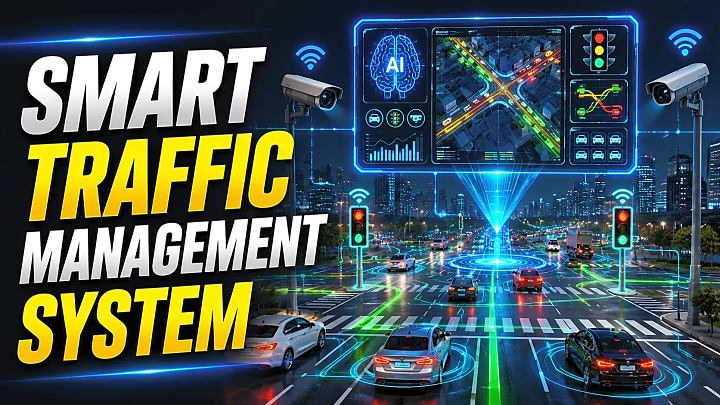
Smart Traffic Management System Final Year Project Guide
Quick Answer: What Is a Smart Traffic Management System?
A Smart Traffic Management System is an IoT, AI, or computer-vision-based project that detects vehicle density, manages traffic signal timing, gives emergency vehicle priority, and monitors road congestion through a dashboard. Students can build it using Arduino, ESP32, IR sensors, ultrasonic sensors, Python, OpenCV, Flask, MySQL, RFID, GPS, or YOLO-based vehicle detection.
Traffic congestion, long signal waiting times, and delayed emergency vehicles are common problems in Indian cities. For final-year students, this makes the Smart Traffic Management System a practical and socially relevant project. According to MoRTH’s Road Accidents in India 2023 report, India recorded 4,80,583 road accidents and 1,72,890 deaths in 2023, which shows why road safety and intelligent transport systems matter. Globally, WHO reports that about 1.19 million people die every year due to road traffic crashes.
This guide explains the project abstract, modules, architecture, components, algorithm, source code flow, database design, testing, report format, and viva-ready FAQs.
Smart Traffic Management System Project Abstract
The objective of this project is to design a Smart Traffic Management System that reduces congestion at road intersections by controlling signal timing based on real-time traffic density. The system collects lane-wise vehicle data using sensors or cameras, processes the traffic condition, assigns green signal duration dynamically, and displays live status on an admin dashboard. An emergency vehicle priority module can be added using RFID, GPS, or manual alert input to give faster passage to ambulances, fire trucks, or police vehicles. The project can be implemented as an IoT model using ESP32/Arduino or as a software model using Python, OpenCV, Flask, and MySQL.
How a Smart Traffic Management System Works
A smart traffic system follows this basic workflow:
- Sensors or cameras collect traffic data from each lane.
- The system estimates vehicle density.
- The controller compares traffic levels across lanes.
- Green signal time is assigned based on congestion level.
- Emergency vehicle priority is checked before normal signal rotation.
- Dashboard data is updated in real time.
- Traffic logs are stored for reports and analysis.
In a computer vision version, OpenCV can be used for background subtraction, contour detection, and vehicle counting from video. OpenCV documentation describes background subtraction as a common preprocessing step for extracting moving foreground objects such as vehicles from static traffic-camera footage.
Best Project Versions for Students
|
Version |
Best For |
Technologies |
Difficulty |
|
Basic Traffic Light Model |
Beginners |
Arduino, LEDs, IR sensors |
Easy |
|
IoT Traffic System |
ECE/IoT students |
ESP32, sensors, Firebase/Blynk |
Medium |
|
OpenCV Vehicle Detection |
CSE/IT students |
Python, OpenCV, Flask |
Medium |
|
AI Traffic Detection |
Advanced students |
YOLO, TensorFlow/PyTorch, OpenCV |
Hard |
|
Full Dashboard System |
Major project |
Flask/Django, MySQL, Bootstrap |
Medium |
|
Emergency Vehicle Priority |
Practical enhancement |
RFID, GPS, GSM, RF module |
Medium |
For most final-year students, the best choice is a hybrid IoT + dashboard model because it is easy to demonstrate, document, and explain during viva.
Hardware Requirements
|
Component |
Purpose |
|
ESP32 or Arduino Uno |
Main controller for signal logic |
|
IR Sensors |
Detect vehicle presence in each lane |
|
Ultrasonic Sensors |
Estimate queue distance or vehicle density |
|
LEDs |
Represent red, yellow, and green signals |
|
RFID Module |
Detect emergency vehicle tags |
|
GPS/GSM Module |
Optional emergency vehicle tracking |
|
Camera/Webcam |
Used for OpenCV-based detection |
|
Breadboard and Jumper Wires |
Prototype circuit connection |
|
Power Supply |
Provides stable power to components |
Software Requirements
|
Software / Tool |
Purpose |
|
Arduino IDE |
Upload code to Arduino/ESP32 |
|
Python |
Vehicle detection and backend logic |
|
OpenCV |
Image processing and vehicle counting |
|
Flask / Django |
Web dashboard development |
|
MySQL / SQLite |
Store junction, signal, and traffic logs |
|
Bootstrap / HTML / CSS |
Dashboard UI |
|
Firebase / Blynk |
Optional IoT cloud monitoring |
System Architecture and Block Diagram Explanation
A good Smart Traffic Management System architecture has five layers:
1. Sensor Layer: IR sensors, ultrasonic sensors, RFID modules, GPS, or cameras collect traffic data.
2. Controller Layer: Arduino or ESP32 reads sensor values and controls traffic LEDs.
3. Processing Layer: Python/OpenCV or embedded logic calculates vehicle density and signal timing.
4. Database Layer: MySQL or SQLite stores traffic logs, lane status, emergency alerts, and report data.
5. Dashboard Layer: Admin users view live signal status, congestion level, vehicle count, and reports.
For an academic block diagram, show this flow:
Sensors / Camera → Controller / Python Processing → Database → Admin Dashboard → Signal Output
Key Modules of Smart Traffic Management System
1. Admin Module
The admin module allows project evaluators or traffic authorities to manage the system. It includes login, junction setup, signal monitoring, traffic reports, and emergency alert management.
2. Traffic Detection Module
This module detects lane-wise vehicle density. A basic version uses IR sensors. A better IoT version uses ESP32 with ultrasonic sensors. A software-heavy version uses OpenCV with a camera feed.
3. Signal Control Module
This is the core module. It decides signal duration based on traffic density.
Example timing logic:
|
Traffic Level |
Vehicle Count |
Green Signal Time |
|
Low |
0–5 vehicles |
15 seconds |
|
Medium |
6–15 vehicles |
30 seconds |
|
High |
16+ vehicles |
45 seconds |
|
Emergency |
Detected |
Immediate priority |
4. Emergency Vehicle Priority Module
This module gives priority to ambulances, fire trucks, or police vehicles. It can use RFID tags, GPS alerts, GSM messages, or dashboard-based manual emergency input.
5. Reporting Dashboard
The dashboard improves demonstration quality. It should show junction name, active signal, lane-wise count, congestion level, emergency status, and daily traffic reports.
Example Circuit / Pin Connection Table
|
Component |
ESP32 Pin Example |
Function |
|
Lane 1 IR Sensor |
GPIO 32 |
Detect vehicle in lane 1 |
|
Lane 2 IR Sensor |
GPIO 33 |
Detect vehicle in lane 2 |
|
Lane 3 IR Sensor |
GPIO 25 |
Detect vehicle in lane 3 |
|
Lane 4 IR Sensor |
GPIO 26 |
Detect vehicle in lane 4 |
|
Red LED |
GPIO 13 |
Stop signal |
|
Yellow LED |
GPIO 12 |
Wait signal |
|
Green LED |
GPIO 14 |
Go signal |
|
RFID Reader |
SPI Pins |
Emergency vehicle detection |
Use this as a prototype reference. Always verify the final pin map with your selected board and avoid unstable boot pins for your hardware model.
Signal Timing Algorithm / Pseudo-Code
Start system
Initialize sensors, signals, database, and dashboard
Loop:
Read traffic density from each lane
Check emergency vehicle status
If emergency vehicle detected:
Give green signal to emergency lane
Store emergency log
Else:
Compare lane-wise vehicle count
Select lane with highest density
Assign green time based on density level
Turn other lanes red
Update dashboard
Store traffic log in database
Repeat
Smart Traffic Management System Source Code Flow
A clean source-code structure makes the project easier to explain:
smart-traffic-management-system/
│
├── arduino/
│ └── main.ino
│
├── backend/
│ ├── app.py
│ ├── traffic_controller.py
│ ├── vehicle_counter.py
│ ├── emergency_priority.py
│ └── database.py
│
├── templates/
│ ├── dashboard.html
│ ├── login.html
│ └── reports.html
│
├── static/
│ ├── css/style.css
│ └── js/dashboard.js
│
├── database/
│ └── traffic_system.sql
│
└── report/
└── project-report-format.docx
For an OpenCV version, vehicle_counter.py processes the video feed, counts vehicles, and sends density data to traffic_controller.py. For an IoT version, main.ino reads sensor values and sends updates to the dashboard through Wi-Fi or serial communication.
Suggested Database Schema
|
Table |
Important Fields |
Purpose |
|
admin_users |
id, name, email, password |
Admin login |
|
junctions |
id, junction_name, location |
Manage traffic junctions |
|
traffic_logs |
id, lane_no, vehicle_count, density_level, green_time, created_at |
Store traffic history |
|
emergency_alerts |
id, vehicle_type, lane_no, status, created_at |
Track emergency priority |
|
signal_status |
id, active_lane, signal_color, updated_at |
Display live signal status |
Step-by-Step Implementation Guide
Step 1: Define the Problem Statement
Use this problem statement:
“The objective of this project is to reduce traffic congestion at intersections by dynamically controlling traffic signal timing based on vehicle density and emergency vehicle priority.”
Step 2: Select the Project Version
Choose Arduino/ESP32 if you want a hardware prototype. Choose Python + OpenCV if you want a software-heavy CSE project. Choose YOLO only if you have time, a dataset, and sufficient system performance.
Step 3: Design the Modules
Create separate modules for admin, detection, signal control, emergency priority, dashboard, reports, and database.
Step 4: Build the Detection Logic
Use IR sensors for simple vehicle presence detection or OpenCV for camera-based counting. In OpenCV, the basic flow is video input, preprocessing, foreground detection, contour detection, vehicle count, and dashboard update.
Step 5: Implement Signal Control
Map low, medium, and high density to different green signal timings. Add emergency priority before normal lane rotation.
Step 6: Create the Dashboard
Build a simple dashboard with current signal, lane count, emergency alert, congestion level, and logs.
Step 7: Test the System
Use multiple test scenarios before final submission.
|
Test Case |
Input |
Expected Output |
|
Empty road |
No vehicles |
Default signal cycle |
|
Low traffic |
2–5 vehicles |
Short green time |
|
High traffic |
16+ vehicles |
Longer green time |
|
Equal traffic |
Same count in all lanes |
Normal rotation |
|
Emergency vehicle |
RFID/GPS/manual alert |
Immediate priority |
|
Sensor failure |
No/invalid reading |
Safe default signal |
Advantages and Limitations
|
Advantages |
Limitations |
|
Reduces unnecessary waiting time |
Sensor accuracy may vary |
|
Supports real-time monitoring |
Camera version depends on lighting |
|
Useful for smart city projects |
Prototype is not certified for public deployment |
|
Can include emergency priority |
AI version needs dataset and computation |
|
Easy to extend with reports |
Hardware wiring needs careful testing |
Smart Traffic Management System Project Report Format
Your report should include:
- Abstract
- Introduction
- Existing System
- Proposed System
- Hardware and Software Requirements
- System Architecture
- DFD and UML Diagrams
- Circuit Diagram / Block Diagram
- Algorithm
- Database Design
- Implementation Screenshots
- Testing
- Advantages and Limitations
- Future Scope
- Conclusion
- References
Future Scope
Future improvements can include AI-based traffic prediction, automatic number plate recognition, Google Maps API integration, emergency vehicle GPS tracking, pollution-aware signal control, smart parking integration, and centralized city traffic dashboards. Government-level Intelligent Transport Systems may include Advanced Traffic Management Systems and V2X communication, with goals such as reducing accidents, traffic violations, and incident response time.
FAQs
1. What is a Smart Traffic Management System project?
It is a final-year project that uses IoT sensors, cameras, AI, or computer vision to monitor traffic density and control signal timing automatically.
2. Which technology is best for Smart Traffic Management System?
For beginners, Arduino or ESP32 with IR sensors is best. For CSE students, Python, OpenCV, Flask, and MySQL make a stronger project.
3. Can I build this project without hardware?
Yes. You can build a simulation using Python, OpenCV, video input, Flask, and a web dashboard.
4. What are the main modules?
The main modules are admin, traffic detection, signal control, emergency vehicle priority, reporting dashboard, and database.
5. What is the algorithm used?
A simple density-based algorithm reads lane-wise traffic count, checks emergency priority, assigns green time, updates signals, and stores logs.
6. What should I include in the project report?
Include abstract, introduction, proposed system, modules, architecture, circuit diagram, algorithm, database design, screenshots, testing, limitations, and future scope.
7. Is this project good for final year?
Yes. It is practical, socially relevant, and combines IoT, embedded systems, Python, OpenCV, databases, dashboards, and smart city concepts.
Conclusion
A Smart Traffic Management System is a strong final-year project because it solves a real traffic problem and supports multiple implementation levels. Beginners can build it with Arduino or ESP32, while advanced students can add OpenCV, AI vehicle detection, emergency vehicle priority, and a live dashboard.
For the best project presentation, keep your system modular, include clear diagrams, prepare test cases, add a dashboard, and document the source code flow properly.
Need a ready Smart Traffic Management System project with source code, report, PPT, diagrams, and demo support? Explore FileMakr’s final-year project resources and choose the version that matches your branch and skill level.