01 Source Code Only
₹99
One-time Payment
- Complete project source code
- Database / data resources
- Dependencies & configuration
- README / setup guide
- Instant download access
Get runnable Hand Gesture Recognition Final Year Project Source Code with database files, project setup instructions, live demo options and installation support. This project resource helps students understand the implementation, modules, workflow and technical architecture of a complete MACHINE-LEARNING project.
Hover to zoom · Click to expand
Simple pricing. Instant access. Secure checkout.
01 Source Code Only
One-time Payment
02 Code + Setup Support
One-time Payment
Hand Gesture Recognition System Using Python and Machine Learning is a complete Django-based computer vision and machine learning project designed to detect and classify hand gestures through a live webcam or uploaded images.
The system uses OpenCV for image processing, MediaPipe Hands for detecting 21 hand landmarks, and scikit-learn machine learning algorithms such as Random Forest, SVM, KNN, and MLP for gesture classification. The application can work with a rule-based recognition engine even before a custom ML model is trained, making it suitable for academic demonstrations and progressive model development.
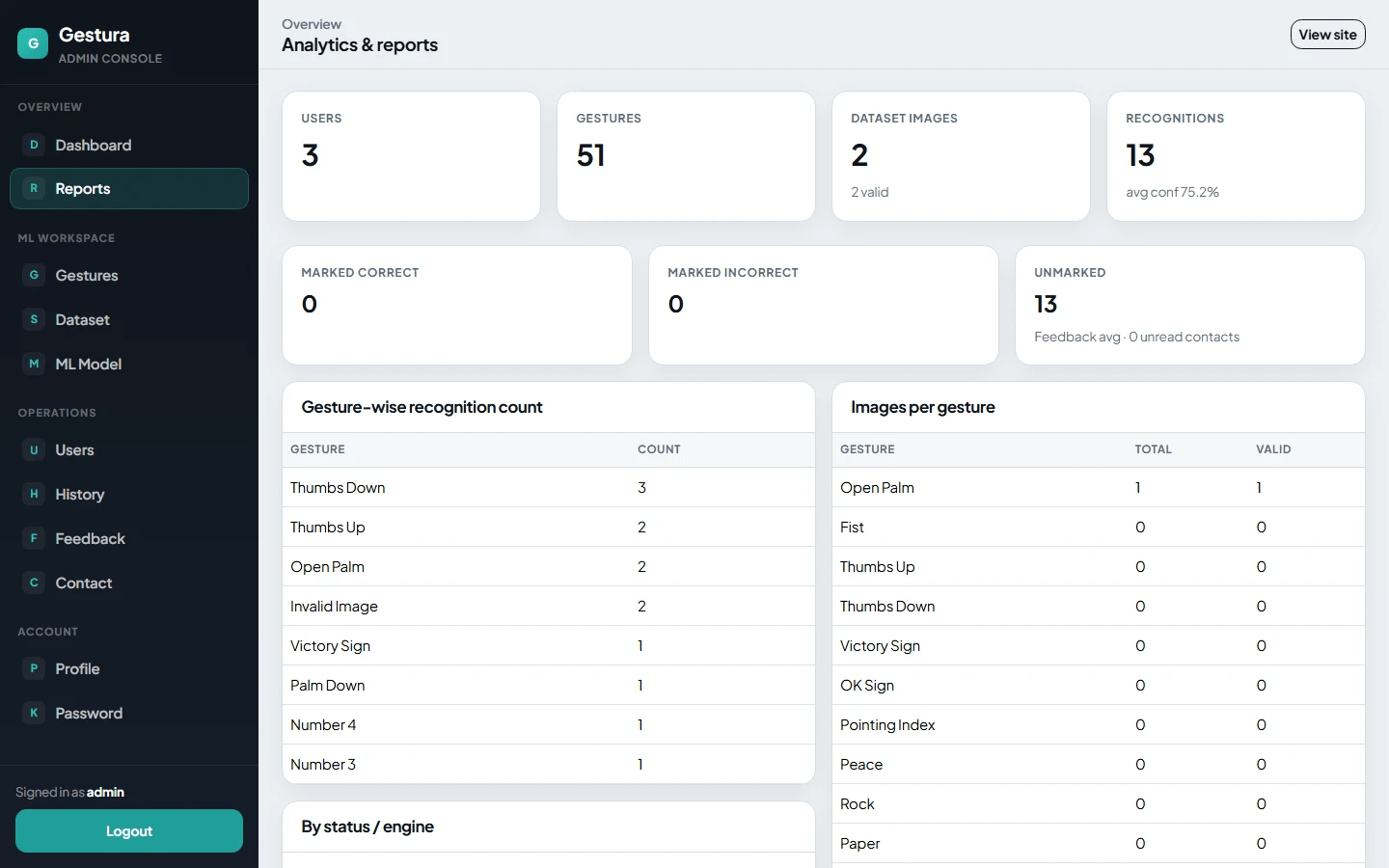
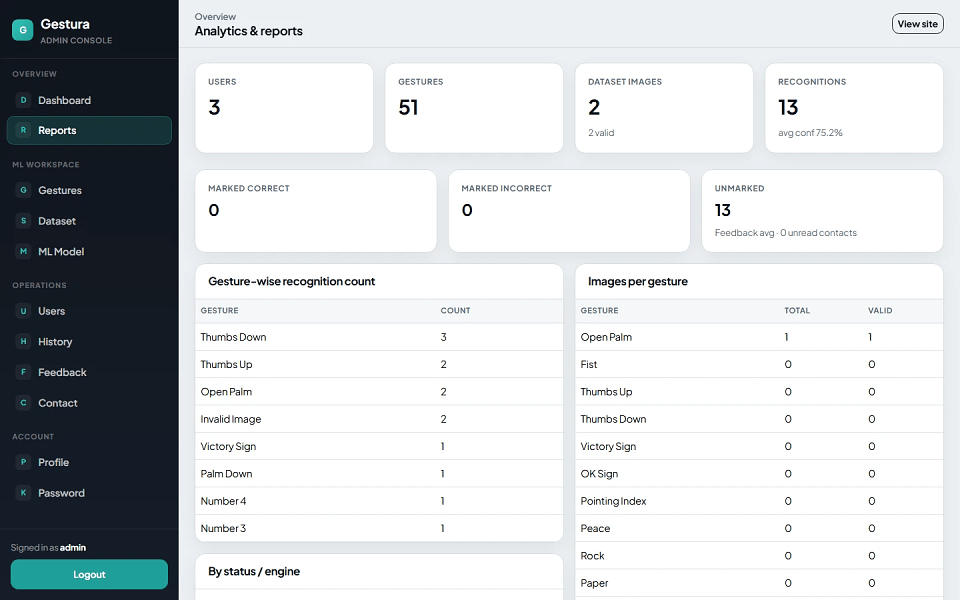
Gestura includes approximately 50 predefined hand gesture categories, live webcam detection, uploaded-image recognition, confidence scores, top alternative predictions, hand quality analysis, temporal smoothing, recognition history, user feedback, contact management, dataset management, ML model training, model activation, reports, and separate Admin and User panels.
The project is suitable for B.Tech, M.Tech, BCA, MCA, BE, ME, BSc, MSc, Artificial Intelligence, Machine Learning, Data Science, Computer Vision, and Computer Science students looking for a practical final year project, major project, or minor project involving hand gesture recognition, image processing, computer vision, machine learning, MediaPipe, OpenCV, Django, and real-time webcam detection.
| Role | Username | Password |
|---|---|---|
| Admin | admin |
admin123 |
| User | None by default | Register from application |
The default admin is created through:
python manage.py create_default_admin
Change the default admin password before using the application in a live environment.
.joblib model.pkl modelmedia/models/The Admin Console manages gestures, datasets, ML models, users, recognition history, feedback, contact messages, reports, and administrative settings.
getUserMediaThe documented user panel includes authentication, profile, dashboard, gesture catalog, webcam detection, image upload recognition, result reporting, recognition history, feedback, and contact modules.
The system uses MediaPipe Hands to detect:
Each hand is normalized into a:
42-dimensional feature vector
using x/y coordinates from 21 landmarks.
Normalization includes:
The system calculates quality using:
Supported models:
The rule-based engine works without a training dataset and can provide gesture predictions before a custom ML model is trained.
Recognition may use:
The recognition engine returns:
The recognition pipeline uses MediaPipe landmarks, a normalized 42-D feature representation, ML and/or rule-based prediction, confidence gating, alternatives, and live temporal smoothing.
Webcam / Uploaded Image
        ↓
OpenCV Image Processing
        ↓
MediaPipe Hands
        ↓
Detect 21 Hand Landmarks
        ↓
Quality Analysis
        ↓
Normalize Hand Landmarks
        ↓
42-D Feature Vector
        ↓
ML Model / Rule-Based Engine
        ↓
Gesture Prediction
        ↓
Confidence Score
        ↓
Alternative Predictions
        ↓
Advice + Latency + Quality
        ↓
Optional Recognition History
The documented recognition architecture follows OpenCV processing, MediaPipe landmark detection, 42-D feature extraction, ML/rule classification, and result reporting.
.joblib model.pkl modelThese three training modes are documented in Admin → ML Model.
| Layer | Technology |
|---|---|
| Programming Language | Python 3.10+ |
| Backend | Django 4.2+ |
| Database | SQLite |
| Frontend | Django Templates |
| UI Framework | Bootstrap 5 |
| Image Processing | OpenCV |
| Hand Detection | MediaPipe Hands |
| Numerical Processing | NumPy |
| Machine Learning | scikit-learn |
| ML Algorithms | Random Forest, SVM, KNN, MLP |
| Model Persistence | joblib |
| Image Handling | Pillow |
| Metrics / Helpers | pandas |
| Authentication | Django Session Authentication |
| Roles | Admin, User |
| Media Storage | Local media/ |
| Model Storage | media/models/ |
The source stack is Python, Django, SQLite, OpenCV, MediaPipe Hands, NumPy, scikit-learn, joblib, Pillow, pandas and Bootstrap 5.
First, download the Media and Model files from the link below:
https://drive.google.com/file/d/1C45Eeh6ysT7sQ0drEaxMACrrKuqLWLes/view?usp=sharing
After downloading, extract the files if required.
You should have:
One Media folder
One .h5 model file
Place both the Media folder and the .h5 model file inside the root folder of the project.
Navigate to the project directory:
cd "C:\Project\Python Source Code\Hand Gesture Recognition System Using Python and Machine Learning"
python -m venv venv
venv\Scripts\activate
pip install -r requirements.txt
python manage.py migrate
python manage.py loaddata initial_gestures
python manage.py create_default_admin
python manage.py runserver
Once the server starts successfully, open:
http://127.0.0.1:8000/
To access the login page, open:
http://127.0.0.1:8000/accounts/login/
Make sure the dataset folder and .h5 model file are placed correctly in the project root directory before running the application.
The documented installation process uses:
Django database migrations
The initial_gestures fixture
The create_default_admin management command
Django's built-in development server
It is recommended to run all commands after activating the project's virtual environment (venv).
| Role | Username | Password |
|---|---|---|
| Admin | admin |
admin123 |
| User | None by default | Register from application |
The default admin is created through:
python manage.py create_default_admin
Change the default admin password before using the application in a live environment.