01 Source Code Only
₹99
One-time Payment
- Complete project source code
- Database / data resources
- Dependencies & configuration
- README / setup guide
- Instant download access
Get runnable Olympic Data Analytics Project Final Year Project Source Code with database files, project setup instructions, live demo options and installation support. This project resource helps students understand the implementation, modules, workflow and technical architecture of a complete DATA-ANALYTICS project.
Hover to zoom · Click to expand
Simple pricing. Instant access. Secure checkout.
01 Source Code Only
One-time Payment
02 Code + Setup Support
One-time Payment
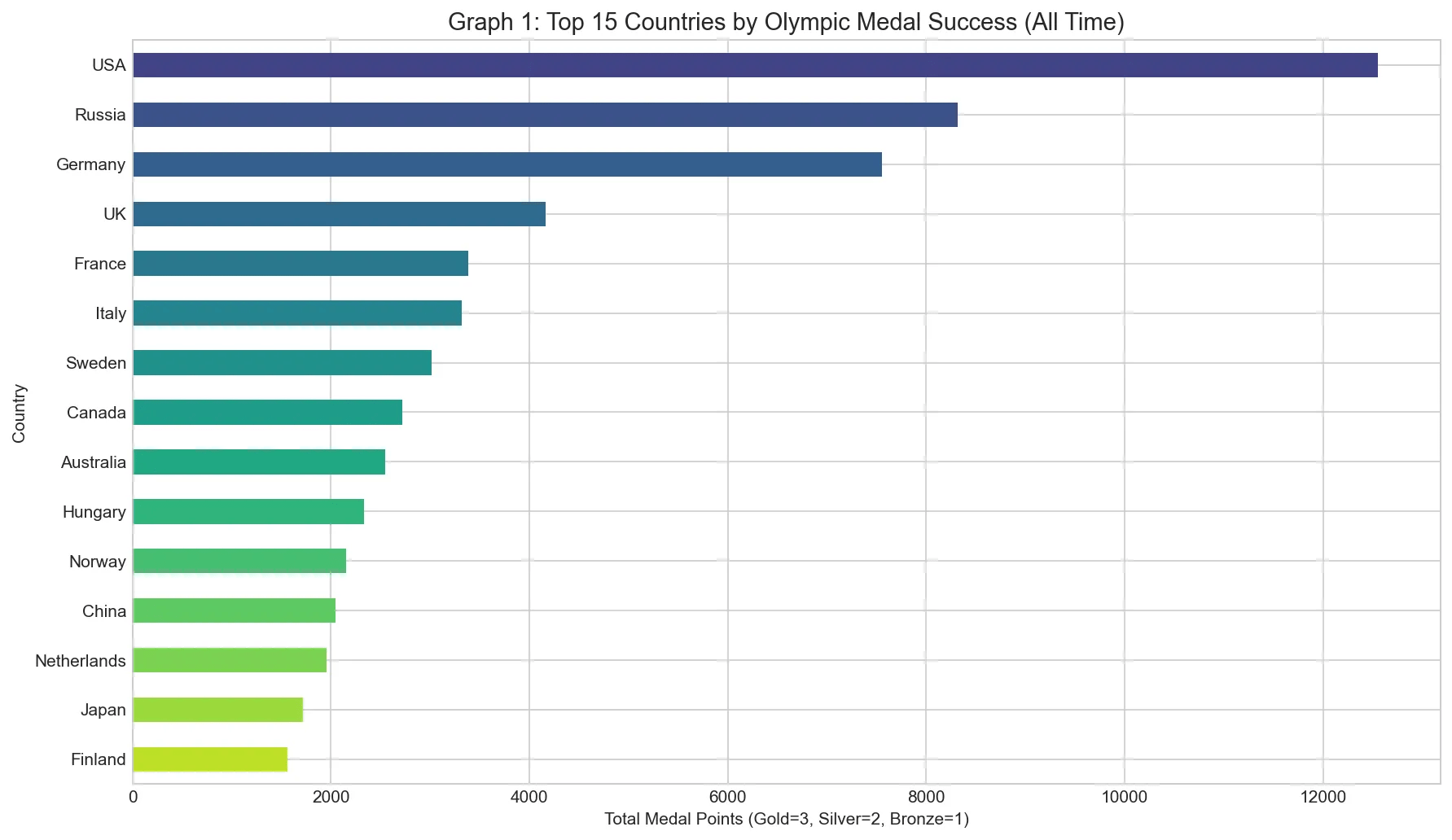
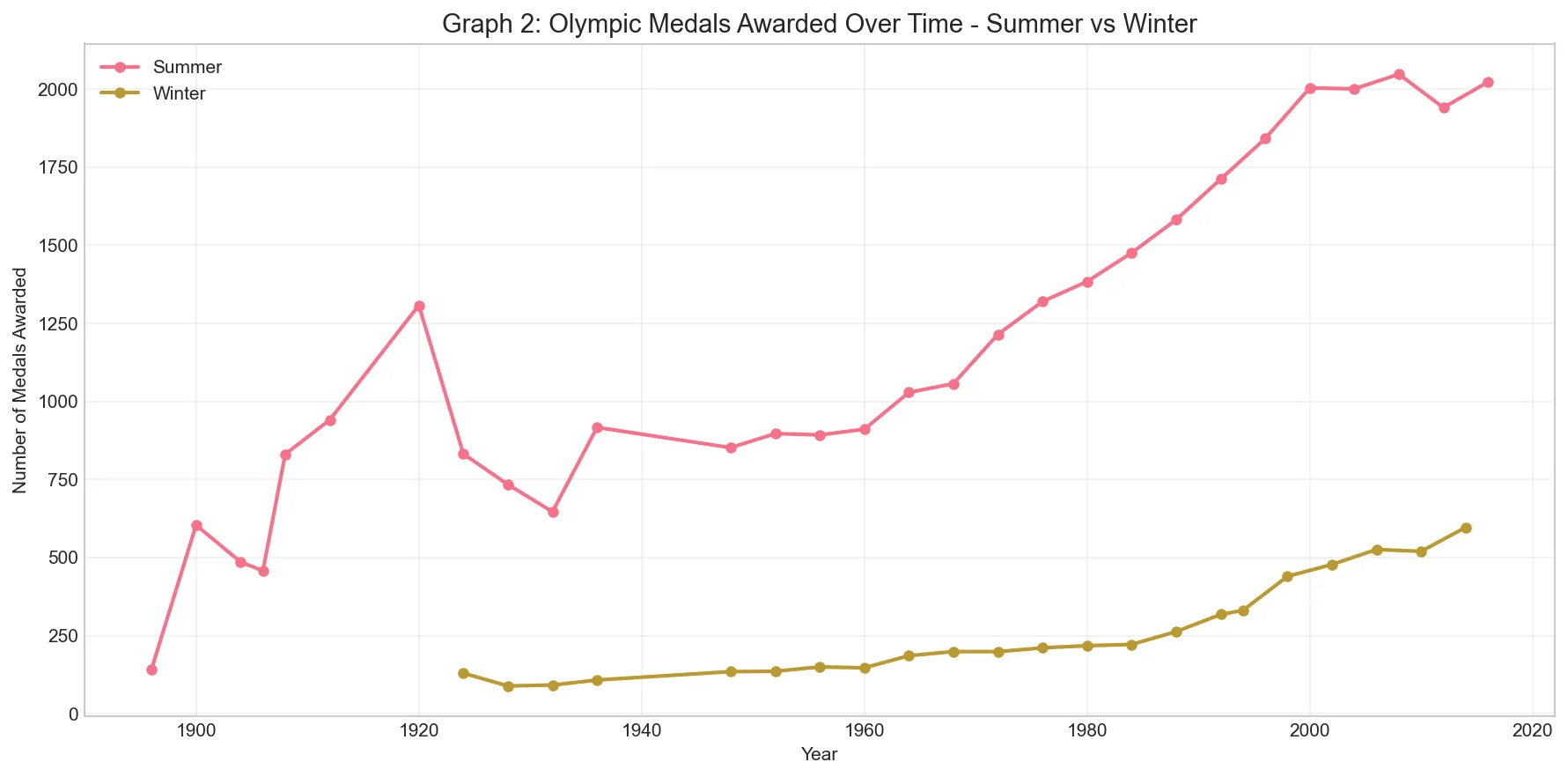
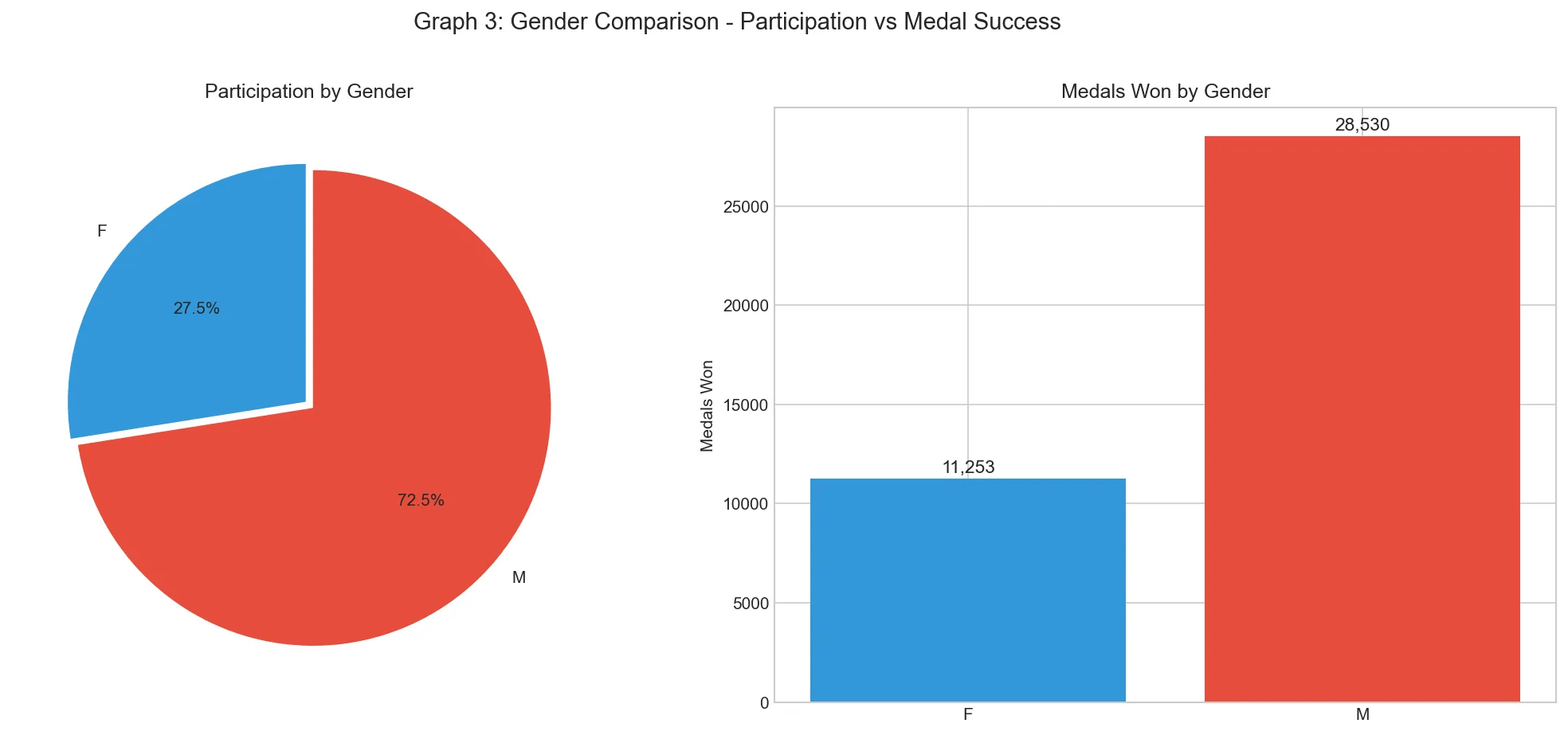
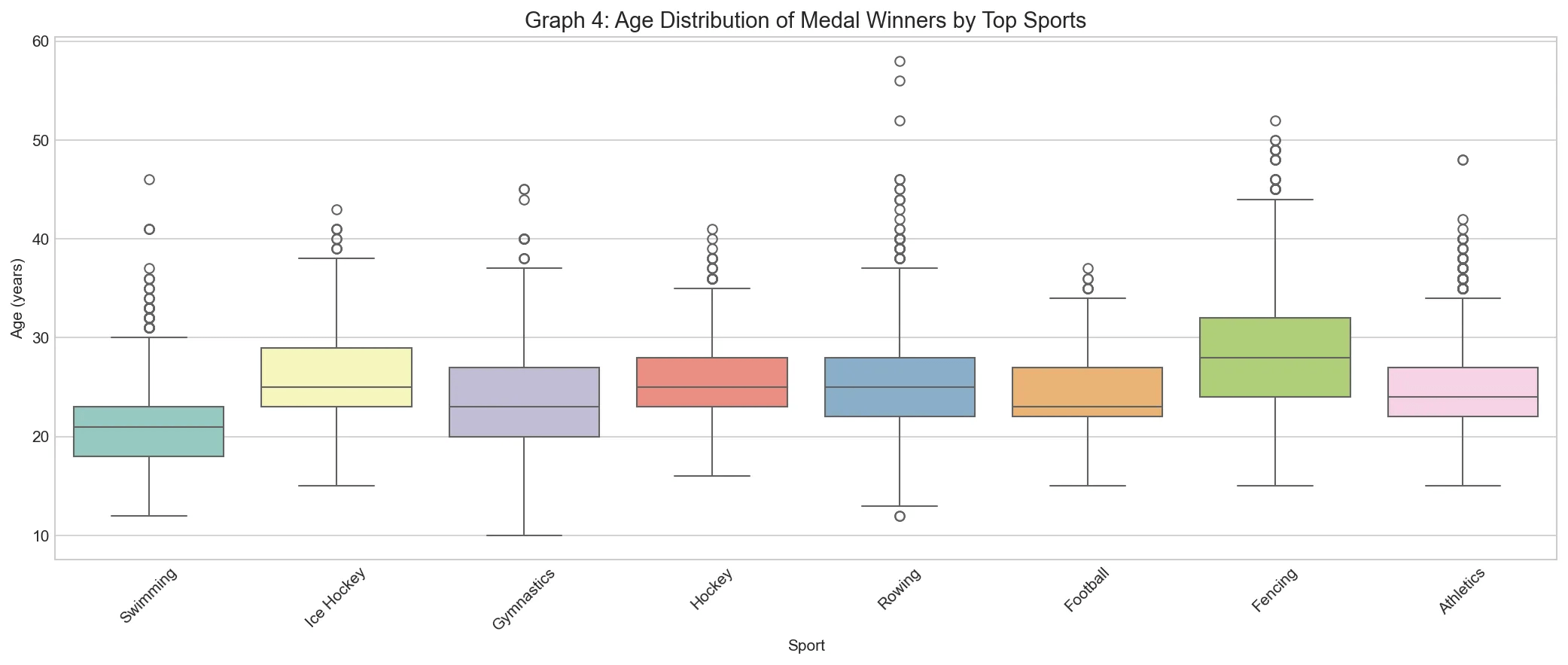
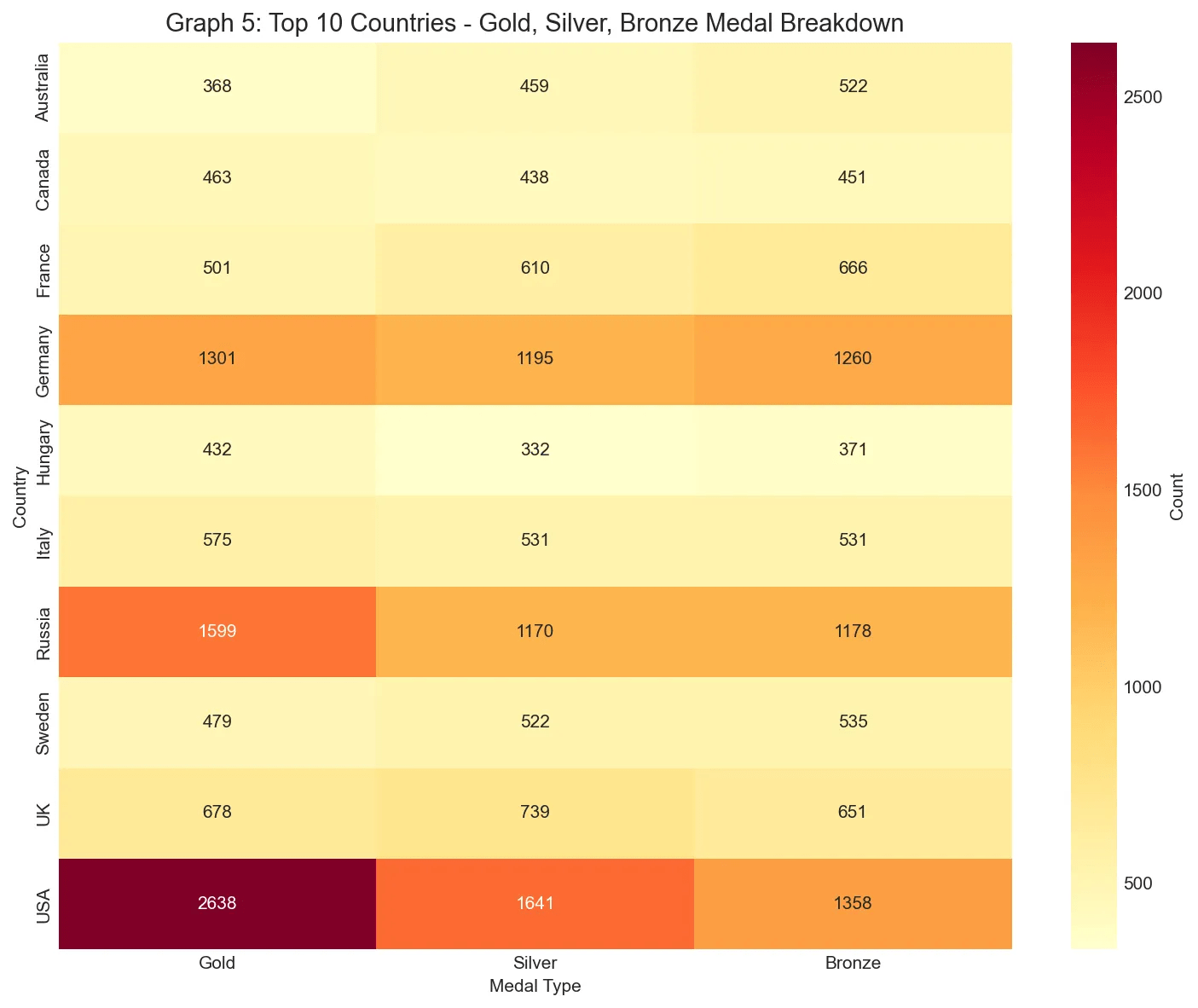
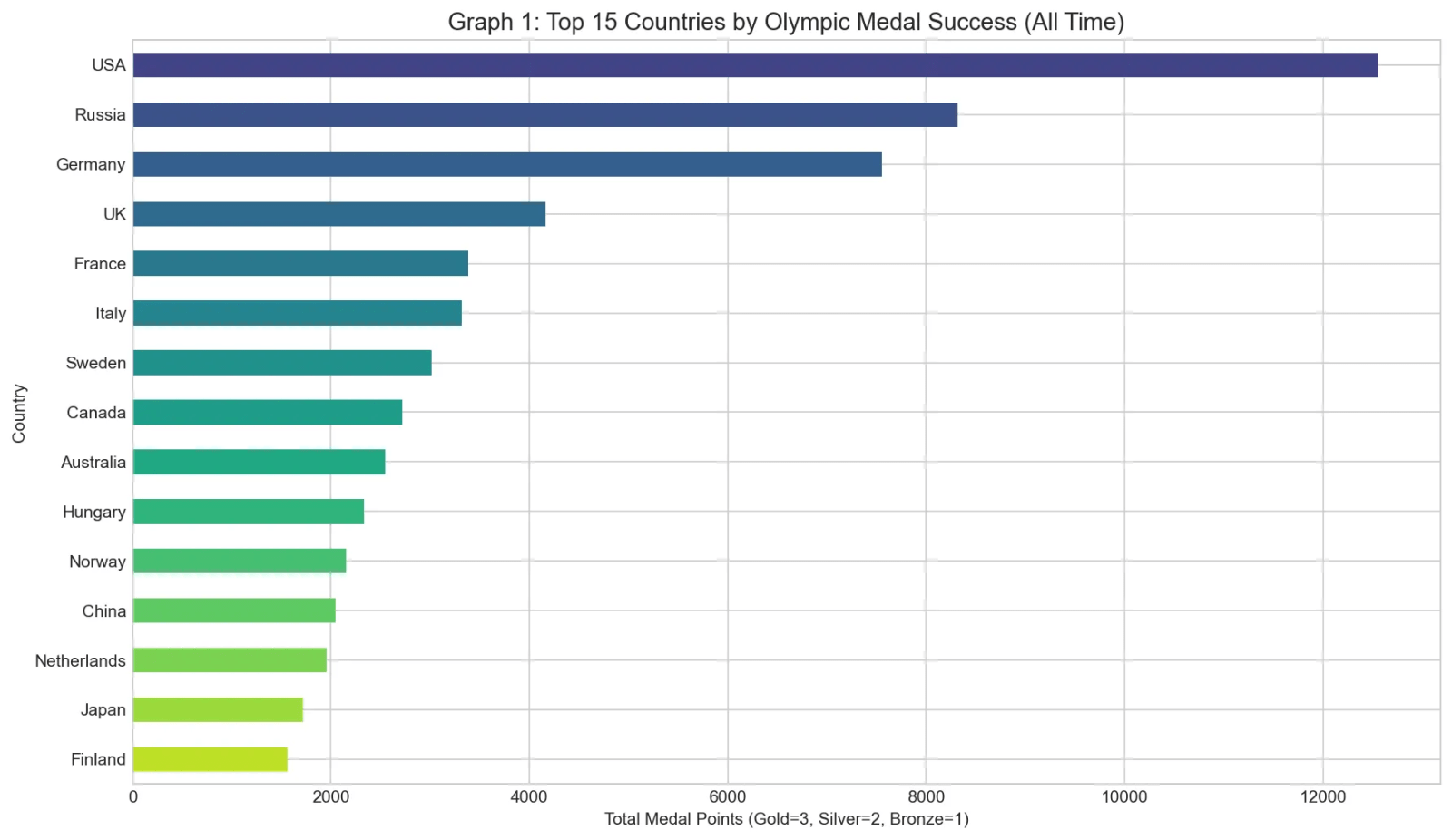
Olympic Data Analytics Project is a Python-based final year project developed for analyzing 120 years of Olympic history from 1896 to 2016. This major project performs data loading, exploratory data analysis, country-wise medal comparison, gender participation analysis, sport-wise age analysis, medal trend visualization, athlete participation growth analysis, machine learning-based medal prediction, and future medal forecasting. The project includes Python scripts, Jupyter Notebook workflow, visualization outputs, machine learning evaluation, confusion matrix, ROC curve, and forecast graph. This data analytics project source code is suitable for students who need a final year project, major project, minor project, source code, and project report based on Python, data analytics, visualization, and machine learning.
This project has no login credentials because it is not a web application.
Credential note:
Kaggle API credentials are optional and only required if the dataset is downloaded automatically through Kaggle API. There are no shared or default Kaggle credentials included in the project.
output/ folderOpen project folder:
cd "olympic-data-analysis"
Install dependencies:
pip install -r requirements.txt
Place dataset files inside:
data/
Run main project:
python olympic_analysis_complete.py
Open project folder:
cd "olympic-data-analysis"
Install requirements:
pip install -r requirements.txt
Start Jupyter Notebook:
python -m jupyter notebook
Open:
olympic_analysis.ipynb
Configure Kaggle API token:
kaggle.json
Place it in:
C:\Users\<YourUsername>\.kaggle\kaggle.json
Run:
python download_dataset.py
This project has no login credentials because it is not a web application.
Credential note:
Kaggle API credentials are optional and only required if the dataset is downloaded automatically through Kaggle API. There are no shared or default Kaggle credentials included in the project.