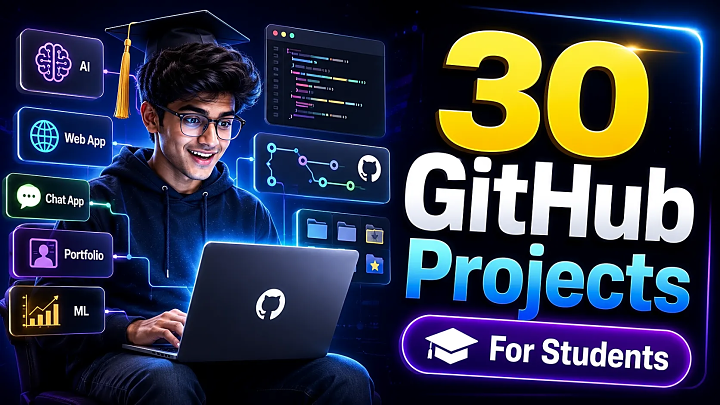
30 GitHub Projects for Students With Source Code, README Tips & Final-Year Guide
Choosing a GitHub project looks easy until your professor asks, “What problem does it solve?” or an interviewer asks, “Can you explain the architecture?”
Many students download random projects, rename folders, and upload them again. The problem starts later: setup errors, missing database files, weak README, no screenshots, poor documentation, and zero confidence during viva.
This guide gives you 30 GitHub projects for students that are practical, portfolio-friendly, and suitable for B.Tech, BCA, MCA, BE, BSc IT, and final-year computer science submissions. You will also learn how to choose the right project, structure your repository, write a professional README, and prepare your project for demo or source-code submission.
Quick Answer
The best GitHub projects for students are projects that solve a clear problem, use a stack you can explain, include source code, have clean documentation, and can be demonstrated confidently.
Good options include Task Manager, Student Management System, Resume Builder, Online Exam System, Expense Tracker, Job Portal, E-Commerce Website, Real-Time Chat App, Fake News Detection, Face Recognition Attendance, and AI Chatbot.
For final-year students, the strongest projects usually include authentication, database design, admin/user modules, reports, deployment, screenshots, and a proper project report.
What Makes a Good GitHub Project for Students?
A good student project is not the most complex one. It is the one you can build, explain, customize, and document.
Use this checklist before selecting a project:
|
Selection Factor |
What to Check |
|
Problem statement |
Does the project solve a real problem? |
|
Skill match |
Can you explain the code and stack? |
|
Documentation |
Can you prepare README, report, PPT, ERD, DFD, and UML? |
|
Demo value |
Can you show login, dashboard, CRUD, reports, or prediction output? |
|
Resume value |
Does it match your target role? |
|
Source-code quality |
Is the code clean, structured, and customizable? |
If you need a quick college mini project, choose a simple CRUD app. If you want a resume project, choose a full-stack, AI/ML, or real-time application.
30 GitHub Projects for Students
|
No. |
Project Idea |
Best Stack |
Difficulty |
Best For |
Key Modules |
|
1 |
Personal Portfolio Website |
HTML, CSS, JS |
Beginner |
Resume |
About, projects, contact |
|
2 |
To-Do List App |
JavaScript / React |
Beginner |
CRUD basics |
Tasks, filters, local storage |
|
3 |
Weather App |
React, API |
Beginner |
API practice |
Search, forecast, API calls |
|
4 |
Expense Tracker |
React / PHP, MySQL |
Beginner |
Finance project |
Income, expense, reports |
|
5 |
Notes App |
MERN / Django |
Beginner |
CRUD + auth |
Login, notes, categories |
|
6 |
Quiz Application |
JavaScript / PHP |
Beginner |
Mini project |
Questions, score, timer |
|
7 |
Student Management System |
PHP, MySQL |
Intermediate |
Academic project |
Students, marks, attendance |
|
8 |
Library Management System |
Java / PHP |
Intermediate |
Database design |
Books, issue, return, fines |
|
9 |
Online Exam System |
PHP / MERN |
Intermediate |
Final year |
Admin, tests, results |
|
10 |
Resume Builder |
React, Node.js |
Intermediate |
Placement |
Templates, PDF, preview |
|
11 |
Job Portal |
MERN / Django |
Intermediate |
Web app |
Jobs, applicants, admin |
|
12 |
E-Commerce Website |
MERN / PHP |
Intermediate |
Full-stack |
Products, cart, orders |
|
13 |
Food Ordering System |
PHP / Node.js |
Intermediate |
Business workflow |
Menu, cart, orders |
|
14 |
Hospital Management System |
PHP, MySQL |
Intermediate |
Major project |
Patients, doctors, billing |
|
15 |
Blood Bank Management System |
PHP, MySQL |
Intermediate |
Social impact |
Donors, requests, stock |
|
16 |
Real-Time Chat App |
MERN, Socket.IO |
Advanced |
Real-time systems |
Users, rooms, messages |
|
17 |
Social Media App |
MERN |
Advanced |
Portfolio |
Posts, likes, comments |
|
18 |
Learning Management System |
Django / MERN |
Advanced |
EdTech |
Courses, lessons, quiz |
|
19 |
Online Voting System |
PHP / Blockchain |
Advanced |
Security |
Voters, candidates, audit |
|
20 |
Face Recognition Attendance |
Python, OpenCV |
Advanced |
AI/CV |
Face scan, attendance log |
|
21 |
Fake News Detection |
Python, ML, NLP |
Advanced |
ML |
Dataset, model, prediction |
|
22 |
Brain Tumor Detection |
Python, ML, Flask |
Advanced |
Medical AI |
Upload, model, result |
|
23 |
Crop Recommendation System |
Python, ML |
Intermediate |
AgriTech |
Soil input, prediction |
|
24 |
Movie Recommendation System |
Python, ML |
Intermediate |
Data science |
Ratings, similarity, output |
|
25 |
AI Chatbot |
Python, NLP |
Intermediate |
AI |
Intents, responses, UI |
|
26 |
Sentiment Analysis Tool |
Python, NLP |
Intermediate |
Data science |
Text input, sentiment |
|
27 |
Password Manager |
Python / JS |
Intermediate |
Cybersecurity |
Vault, auth, encryption |
|
28 |
URL Shortener |
Node.js, MongoDB |
Intermediate |
Backend APIs |
Short links, redirects |
|
29 |
Inventory Management System |
PHP / Django |
Intermediate |
Business app |
Products, stock, reports |
|
30 |
GitHub Profile README Generator |
React / Node.js |
Beginner |
Developer branding |
Form, preview, markdown |
Best Projects by Student Type
|
Student Type |
Recommended Projects |
|
BCA students |
Portfolio, Quiz App, Student Management System, Expense Tracker |
|
B.Tech CSE students |
Job Portal, E-Commerce, Fake News Detection, Chat App |
|
MCA students |
LMS, Hospital Management, Online Exam System, Social Media App |
|
BSc IT students |
Library Management, Resume Builder, Inventory System |
|
Placement-focused students |
Resume Builder, Chat App, AI Chatbot, Job Portal |
Beginner GitHub Projects
Beginner projects are best when you want to learn fundamentals. Start with portfolio websites, to-do apps, notes apps, weather apps, and quiz apps.
These teach:
- HTML, CSS, JavaScript
- Components and state management
- Forms and validation
- API calls
- Local storage
- Basic GitHub workflow
The key is presentation. Even a simple project looks professional when it has screenshots, setup steps, features, folder structure, and a clear README.
Intermediate Projects for Final-Year Submission
Intermediate projects are ideal when your college needs source code, database, modules, and documentation. Student Management System, Library Management System, Online Exam System, Job Portal, Expense Tracker, Hospital Management System, and Food Ordering System are strong choices.
These projects usually include:
- Admin panel
- User login and registration
- Database tables
- CRUD operations
- Search and filters
- Reports or dashboards
- Role-based access
For final-year submissions, these modules can easily be converted into ER diagrams, DFDs, UML diagrams, test cases, project reports, and PPT slides.
Advanced GitHub Projects for Resume and Placement
Advanced projects help your GitHub profile stand out during placements. Real-time chat apps, AI chatbots, fake news detection, face recognition attendance, recommendation systems, and social media apps show practical engineering ability.
But advanced projects need stronger documentation. Your README should explain the dataset, algorithm, model accuracy, limitations, screenshots, installation steps, and future scope.
For password managers, voting systems, and authentication-based apps, avoid storing plain-text passwords or API keys in public repositories. Use secure password hashing, environment variables, and proper authentication practices.
How to Build and Upload a GitHub Project
Step 1: Select a clear problem statement
“Student Management System” is better than “College Project” because it clearly explains the purpose.
Step 2: Choose a stack you can explain
Use PHP + MySQL, MERN, Django, Flask, or Java for web projects. Use Python, pandas, scikit-learn, OpenCV, TensorFlow, or Flask for AI/ML projects.
Step 3: Create modules
Break the project into admin, user, authentication, dashboard, database, reports, API, and settings.
Step 4: Use a clean folder structure
Example:
project-name/
README.md
frontend/
backend/
database/
screenshots/
docs/
.env.example
Step 5: Add a professional README
A strong README should include:
- Project overview
- Features
- Tech stack
- Screenshots
- Installation steps
- Database setup
- Usage guide
- Folder structure
- Future scope
- License
Step 6: Upload your project to GitHub
Use basic Git commands:
git init
git add .
git commit -m "Initial project setup"
git branch -M main
git remote add origin your-repository-url
git push -u origin main
Step 7: Add GitHub topics
Use topics like student-project, final-year-project, react, python, machine-learning, php-mysql, or mern-stack. GitHub notes that repository topics can classify a repository by purpose, subject, community, or language.
Step 8: Prepare for viva
Practice a two-minute explanation:
- Problem
- Solution
- Modules
- Database
- Tech stack
- Screenshots/demo
- Limitations
- Future enhancements
Where Source Code, Report, PPT, and Live Demo Fit
A project is not complete with source code alone. For college submission, prepare the full package:
|
Requirement |
Why It Matters |
|
Source code |
Main working project |
|
Project report |
Explains problem, scope, design, testing |
|
PPT |
Helps with presentation |
|
ERD/DFD/UML |
Shows system design |
|
Screenshots |
Makes evaluation easier |
|
Live demo |
Builds trust and confidence |
Students can use FileMakr project pages to explore final-year project source code, project reports, PPT support, and live-demo-ready project ideas.
Common Mistakes Students Make
- Choosing a project too advanced to explain.
- Uploading code without README or setup steps.
- Not adding screenshots.
- Copying a project without understanding it.
- Ignoring database design.
- Keeping names like final-project-main.
- Uploading API keys or passwords.
- Not testing before submission.
- Forgetting limitations and future scope.
FAQs
Which GitHub project is best for students?
The best GitHub project for students is one that is practical, easy to explain, and relevant to their career goal. Beginners can choose a portfolio, weather app, or expense tracker. Final-year students can choose a job portal, online exam system, student management system, or ML project.
Which GitHub project is best for resume?
Full-stack projects, AI/ML projects, real-time chat apps, job portals, e-commerce websites, and resume builders are strong resume projects because they show practical development skills.
Can I use GitHub projects for college submission?
Yes, but you should understand the code, customize the project, prepare documentation, create diagrams, and test the project before submission.
What should I include in a GitHub README?
Include overview, features, tech stack, installation steps, screenshots, database setup, usage guide, folder structure, limitations, and future scope.
Which projects are best for B.Tech CSE final year?
Good options include AI Chatbot, Fake News Detection, Face Recognition Attendance, Job Portal, E-Commerce Website, Online Voting System, and Real-Time Chat App.
Which GitHub projects are good for BCA students?
BCA students can choose Portfolio Website, Quiz App, Notes App, Student Management System, Library Management System, and Expense Tracker.
How many GitHub projects should students have?
Students should have 3–5 quality projects: one beginner project, one database project, one full-stack project, and one project related to their target career.
Is it okay to copy projects from GitHub?
You can learn from GitHub projects, but direct copying is risky. Customize the code, improve features, write your own documentation, and understand every module before submission.
Conclusion
GitHub projects are not just for uploading code. They help students build confidence, prepare for viva, improve resumes, and show practical skills to recruiters.
The best project is not always the most complex one. It is the project you can build, explain, document, deploy, and improve.
Start with your skill level. Pick a project with a clear problem statement. Add clean documentation, screenshots, README, database setup, and future scope. A well-presented GitHub project can become both your final-year submission and your first serious portfolio asset.