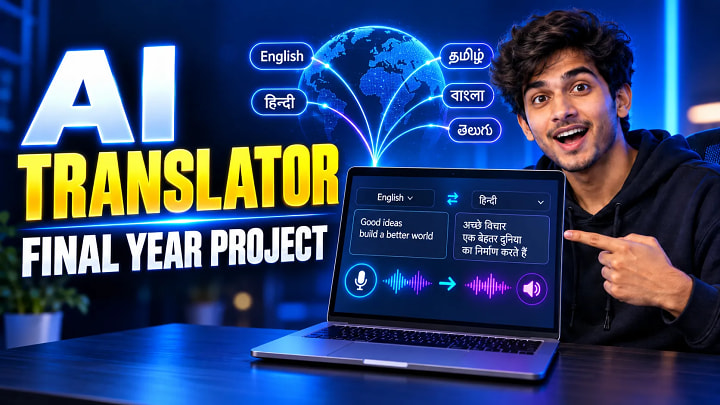
Multilingual Text and Speech Translator Final Year Project
A translator that only converts typed text is a useful beginner project. But for a final-year submission, combining multilingual text translation, speech-to-text and text-to-speech creates a much stronger application because students can demonstrate frontend development, backend APIs, database integration and browser speech technologies in one project.
A Multilingual Text and Speech Translator Final Year Project allows a user to type or speak content in one language, translate it into another language and listen to the translated output. A MERN-based implementation can also store translation records in MongoDB and provide additional functions such as language swapping, copying translated text and maintaining translation history.
This guide explains the project architecture, modules, technology stack, working process, implementation steps, testing requirements and viva preparation.
Quick Answer
A Multilingual Text and Speech Translator is a web application that accepts text or voice input, converts speech into text when required, translates the text from a source language to a selected target language and can read the translated result aloud.
A practical final-year implementation can use:
- React for the frontend
- Node.js and Express.js for the backend
- MongoDB for storing translation records
- A translation service or API for language conversion
- Web Speech API for speech recognition and speech synthesis
The Web Speech API provides separate capabilities for speech recognition and speech synthesis, making it suitable for browser-based voice functionality.
What Is a Multilingual Text and Speech Translator?
A multilingual translator is an application designed to reduce communication barriers between users who speak different languages.
Instead of supporting only typed input, a text-and-speech translator can handle several stages of communication.
For example, a student may speak a sentence in English. The system converts the voice into text, translates the text into Hindi and then generates spoken Hindi output.
The overall flow is:
Voice Input → Speech Recognition → Source Text → Translation → Target Text → Speech Output
This creates a more complete project than a basic text converter.
For academic purposes, the project is especially suitable for B.Tech, BE, BCA, MCA, M.Tech, BSc and MSc students studying web development, JavaScript, MERN stack, APIs or language-processing applications.
How the Translator Project Works
The system can operate in two primary modes.
Text Translation
The user enters a sentence into the source-text box and selects the source and target languages.
The frontend sends the text and language configuration to the backend.
The backend processes the translation request and sends translated text back to the application.
The result is displayed in the target-text section.
Speech Translation
The user activates the microphone and speaks.
Speech recognition converts the incoming voice into text. According to MDN, the SpeechRecognition interface controls browser speech-recognition functionality and returns recognised speech as text.
The recognised text then follows the normal translation process.
After translation, speech synthesis can read the translated text aloud. SpeechSynthesis provides browser controls for generating spoken output from text.
Recommended Technology Stack
|
Component |
Technology |
Purpose |
|
Frontend |
React |
Translator interface and application state |
|
Backend |
Node.js |
Server-side application logic |
|
Framework |
Express.js |
REST API routes |
|
Database |
MongoDB |
Store translation records |
|
Voice Input |
Web Speech API |
Convert speech into text |
|
Voice Output |
SpeechSynthesis |
Convert translated text into speech |
|
Translation |
Translation API/service |
Convert source text to target language |
|
UI |
CSS/Chakra UI |
Responsive application interface |
Node.js works well for this type of application because it is an asynchronous, event-driven JavaScript runtime designed for network applications.
MongoDB is also useful where translation logs are required because its document model stores flexible JSON-like records.
Important Project Modules
1. Text Input Module
Users can type the content they want to translate. A character counter can also be added to display the current input length.
2. Source and Target Language Module
The interface should allow users to select the language they are translating from and the language they want as output.
A language-swap button can exchange both selections quickly.
3. Speech-to-Text Module
A microphone button starts speech recognition.
When speech is detected successfully, recognised words are inserted into the source-text field.
4. Translation Module
The translation layer receives:
- source text
- source language
- target language
It then returns the translated value to the frontend.
5. Text-to-Speech Module
Once translation has finished, the translated result can be passed to the browser speech-synthesis engine.
Users can then listen to the output instead of reading it.
6. Translation History Module
Translation information can be stored in MongoDB, including fields such as:
- original text
- translated text
- source language
- target language
- creation time
This module also gives students a clear database component to explain during viva.
7. Utility Module
Useful functions include:
- Copy translated text
- Clear input
- Swap languages
- Character count
- Loading indicator
- Error handling
- Dark/light mode
These small features significantly improve the quality of the final demonstration.
System Architecture
A simple architecture can be represented as:
User → React Interface → Express/Node.js Backend → Translation Service → MongoDB
Speech input and output may also interact directly with browser speech capabilities.
The frontend handles user interaction.
The Node.js backend receives translation requests, validates data and communicates with any required external translation service.
MongoDB can store completed translation records.
This separation makes the project easier to maintain and explain because presentation, business logic and data storage have clearly defined responsibilities.
Step-by-Step Implementation Guide
Step 1: Create the Project Structure
Create separate frontend and backend directories.
Configure React in the frontend and Node.js with Express in the backend.
Step 2: Design the Translator Interface
Create:
- Source text box
- Target text box
- Source-language dropdown
- Target-language dropdown
- Translate button
- Microphone button
- Speaker button
- Swap-language button
Keep the interface simple enough to demonstrate without confusion.
Step 3: Create the Translation Endpoint
Create a backend REST endpoint such as:
POST /api/translate
The request can contain the source text and selected languages.
Validate empty input before sending the translation request.
Step 4: Integrate Speech Recognition
Use browser speech recognition to capture microphone input.
Set the recognition language according to the user's source-language selection wherever supported.
One important testing consideration is browser compatibility. MDN currently marks SpeechRecognition as having limited availability, so students should verify their intended demo browser before the college presentation.
Step 5: Add Speech Synthesis
Pass translated content into a speech-synthesis utterance.
Choose an appropriate available voice based on the target language where possible.
Step 6: Configure MongoDB
Create a translation-record model containing the source text, translated output, languages and timestamps.
Connect MongoDB through the backend environment configuration.
Step 7: Add Error Handling
Handle conditions such as:
- Empty text
- Microphone permission denied
- Unsupported speech recognition
- Translation failure
- Network error
- Database connection failure
Step 8: Test the Complete Workflow
Test both typed and voice input.
Use multiple language combinations and verify that the application remains stable when users repeatedly translate, swap languages or clear the form.
Testing Scenarios for the Project
Students should include proper test cases in the project report.
|
Test |
Expected Result |
|
Enter valid text |
Text accepted |
|
Choose source and target languages |
Correct selections displayed |
|
Click Translate |
Target text returned |
|
Start microphone |
Speech recognition begins |
|
Speak valid sentence |
Speech converted to text |
|
Click speaker |
Translated text is spoken |
|
Swap languages |
Source and target interchange |
|
Copy output |
Translation copied |
|
Empty translation request |
Validation message displayed |
|
Deny microphone permission |
User-friendly error shown |
|
Database unavailable |
Application handles failure safely |
Testing these scenarios provides better evidence than simply showing screenshots of the finished interface.
Common Mistakes Students Make
Treating Speech Recognition as Translation
Speech recognition does not automatically translate language.
It converts spoken audio into textual content.
Translation happens in a separate processing stage.
Ignoring Browser Compatibility
Speech synthesis is widely available, but speech recognition support varies between browsers. Always test the exact browser and computer that will be used during the demo.
Adding Too Many Features
Do not turn a manageable translator into a huge AI platform.
A stable translator with text translation, voice input, speech output and proper documentation is better for academic evaluation than ten incomplete modules.
Poor Error Handling
A failed API call should not leave the page frozen.
Display meaningful messages for network, microphone and translation errors.
Skipping Documentation
Your report should clearly explain architecture, data flow, implementation, testing and results rather than only showing source-code screenshots.
Pro Tips to Make the Project Better
Add a translation-history screen so the examiner can see the database working rather than hearing that MongoDB is connected.
Show the full flow during your demo:
Speak → Recognise → Translate → Listen → Save
Prepare an architecture diagram explaining which operations occur in the browser and which go through the backend.
Include graceful fallbacks. If microphone recognition fails during the presentation, typed translation should still work.
Also explain limitations openly. Browser speech recognition can depend on browser capabilities and, in some implementations, online recognition services. MDN notes that speech recognition may use a server-based recognition engine depending on the browser.
FAQ
Is a multilingual translator a good final year project?
Yes. It combines frontend development, backend APIs, database integration, translation functionality and browser speech technologies, giving students several technical components to demonstrate.
Which technology is best for a multilingual translator project?
A MERN stack is a practical choice when the project is being developed as a modern web application. React can handle the interface, Node.js and Express can provide APIs, and MongoDB can store translation records.
How does speech-to-text work in this project?
The microphone captures speech and a speech-recognition system converts recognised words into text. That text can then be passed to the translation process.
How does text-to-speech work?
The translated text is supplied to a speech-synthesis engine, which generates audio using an available browser or device voice.
Does the translator project need a database?
Translation itself does not require a database, but MongoDB can be used to store translation logs or history. This also gives the final-year project a stronger database component.
What diagrams should be included in the report?
Students can prepare a system architecture diagram, flowchart, DFD, use-case diagram, sequence diagram and database/schema diagram where applicable.
What can an examiner ask during viva?
Common questions include why the technology stack was selected, how speech recognition differs from translation, why MongoDB is used, how the translation API works, how errors are handled and what limitations the system has.
Can this project support multiple languages?
Yes. The exact number of languages depends on the translation service and speech capabilities being used. The FileMakr implementation is described as supporting translation across more than 100 languages.
Conclusion
A Multilingual Text and Speech Translator Final Year Project is a strong option for students who want something more practical than a basic CRUD application without making the project unnecessarily difficult.
Its main strength is its clear end-to-end workflow: users can provide text or speech, select languages, translate the content, listen to the translated output and optionally store translation records.
For a successful college submission, concentrate on four things: build a stable working translator, understand every technology used, document the architecture and testing properly, and practise explaining the complete translation workflow before your viva.
Students who want to study an existing implementation can also review the related source code, project report and documentation resources available on FileMakr.