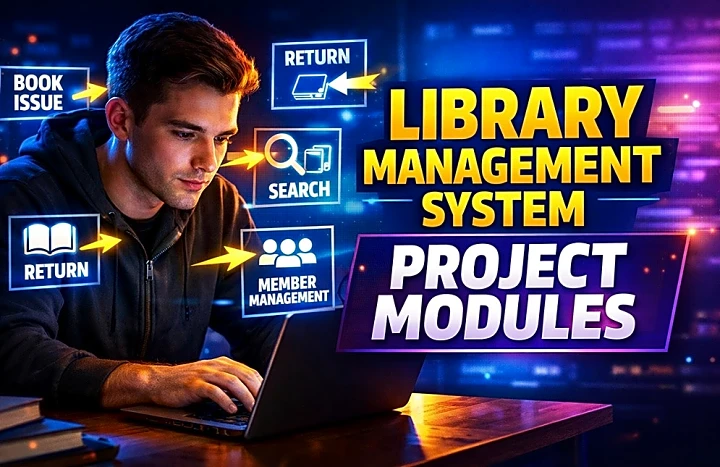
Library Management System Project Modules
Choosing the right Library Management System project modules is the difference between a project that looks complete in viva and one that feels unfinished. Most final-year students do not struggle because the topic is weak. They struggle because the module scope is unclear, the database is poorly planned, or the demo does not show a real library workflow.
Quick Answer
A strong Library Management System project usually includes these core modules: Admin, Student/User, Book Management, Category and Author Management, Issue and Return, Search/Catalog, Fine Management, and Reports. For a mini project, 5 to 6 well-built modules are enough. For a major project, you can add Librarian, Reservation, Renewal, Notifications, and Barcode/QR features.
If you want to move from planning to implementation, explore the library management system source code and library management project report resources on FileMakr.
What Is a Library Management System Project?
A Library Management System is a software application that manages books, members, circulation, due dates, returns, fines, and reports through a digital database instead of paper registers.
This topic works well for final-year students because it combines:
- authentication
- CRUD operations
- DBMS design
- role-based access control
- search and cataloguing
- issue/return logic
- reporting and validation
It also fits both mini project and major project scope.
What Modules Are Compulsory in a Library Management System Project?
These are the modules most colleges expect in a usable project:
1. Admin Module
The Admin Module controls the system.
Main functions
- add, edit, and delete books
- manage categories and authors
- approve or block users
- monitor issued and returned books
- view fine details
- generate reports
Why it matters
This proves central control and is usually the first panel shown during demo.
2. Student/User Module
This is the member-facing side of the system.
Main functions
- register and log in
- search books
- view issued books
- check due dates
- update profile
- track fines
Why it matters
Without a user module, the project looks like a back-office tool instead of a complete system.
3. Book Management Module
This is the inventory core.
Main functions
- add new books
- update records
- delete books
- track copies
- store ISBN, title, author, publisher, edition, rack number, and accession number
Why it matters
Every workflow depends on clean inventory control.
4. Category and Author Management Module
This keeps the database normalized.
Main functions
- add categories
- add authors
- map books to categories and authors
- improve filtered search
Why it matters
It prevents repeated plain text values and improves reporting accuracy.
5. Issue and Return Module
This is the most important business-logic module.
Main functions
- issue books to members
- save issue date and due date
- record return date
- update stock automatically
- detect overdue status
- maintain borrowing history
Why it matters
This module gives the project real-world value. In many vivas, this is the module with the highest scoring potential.
6. Search and Catalog Module
This is the discovery layer of the system.
Main functions
- search by title
- search by author
- search by category
- search by ISBN
- filter by availability
- support OPAC-style browsing
Why it matters
It improves usability and shows that your metadata structure is meaningful.
7. Fine Management Module
This adds conditional logic.
Main functions
- set fine per day
- detect late return
- calculate total fine
- show paid or unpaid status
Why it matters
It strengthens the workflow and helps you explain calculation logic in viva.
8. Reports Module
This converts records into outputs.
Main functions
- total books report
- issued books report
- overdue books report
- active users report
- fine collection report
- category-wise inventory report
Why it matters
Reports make the project look practical, complete, and dashboard-ready.
Mini Project vs Major Project Module Scope
|
Project Type |
Recommended Modules |
Difficulty |
Best For |
|
Mini Project |
Admin, Student, Book Management, Issue/Return, Search |
Low to Medium |
Beginners or short semester projects |
|
Standard Final-Year Project |
Admin, Student, Book Management, Category/Author, Issue/Return, Fine, Reports |
Medium |
Most college submissions |
|
Major Project |
Admin, Librarian, Student, Book Management, Fine, Reports, Reservation, Renewal, Notifications, Barcode/QR |
Medium to High |
Advanced students or teams |
Advanced Optional Modules for a Major Project
If you want deeper topical coverage and a more realistic system, add:
- Librarian Module for daily circulation operations
- Reservation Module for unavailable books
- Renewal Module for due date extension
- Notification Module for due-date reminders
- Barcode/QR Module for faster issue and return
- Audit Log Module for tracking record changes
- Acquisition Module for new book entry before active circulation
These are not compulsory, but they improve realism and presentation quality.
Module-to-Database Table Mapping
|
Module |
Main Tables |
Key Fields |
Purpose |
|
Admin |
users, roles |
user_id, role_id, status |
manage access and privileges |
|
Student/User |
users, profiles |
user_id, name, email |
manage member records |
|
Book Management |
books |
book_id, title, isbn, author_id, category_id, copies |
manage inventory |
|
Category Management |
categories |
category_id, category_name |
classify books |
|
Author Management |
authors |
author_id, author_name |
store reusable author records |
|
Issue and Return |
issued_books |
issue_id, book_id, user_id, issue_date, due_date, return_date |
track circulation |
|
Fine Management |
fines |
fine_id, issue_id, amount, status |
manage overdue penalties |
|
Search/Catalog |
books, authors, categories |
title, isbn, author_name, category_name |
support OPAC and filtering |
|
Reports |
books, issued_books, fines, users |
counts, dates, statuses |
generate summaries |
Worked Example: Issue, Return, and Fine Calculation
Here is a simple example you can explain during demo:
- Student ID: U102
- Book ID: B205
- Issue Date: 1 March
- Due Date: 8 March
- Return Date: 11 March
- Fine Rate: ₹5 per day
Fine calculation
- Delay = 3 days
- Fine per day = ₹5
- Total fine = ₹15
This example is useful because it connects:
- member management
- issue/return workflow
- due-date logic
- fine calculation
- report updates
ER Diagram, DFD, and Documentation Mapping
Your module structure should match your academic documentation.
|
Documentation Item |
What It Should Show |
|
ER Diagram |
entities such as users, books, authors, categories, issued_books, fines |
|
DFD Level 0 |
overall data flow between admin, librarian, student, and system |
|
DFD Level 1 |
book management, issue/return, fine calculation, reporting |
|
Use Case Diagram |
actor actions like login, search, issue, return, generate report |
|
SRS |
functional and non-functional requirements |
|
Test Cases |
expected results for each module |
This alignment helps in report writing and viva defense.
How to Implement a Library Management System Project
Step 1: Define roles
Choose one of these models:
- Admin + Student
- Admin + Librarian + Student
Step 2: Finalize project modules
Select only the modules you can build, test, and explain confidently.
Step 3: Design the database
Common tables include:
- users
- roles
- books
- authors
- categories
- issued_books
- fines
- notifications
Step 4: Build authentication
Create login, logout, password reset, and role-based access control.
Step 5: Build inventory features
Develop book CRUD, category management, author management, and availability logic.
Step 6: Develop circulation management
Implement issue, due date, return, stock update, overdue detection, and fine workflows.
Step 7: Add reports and dashboard outputs
Prepare summary cards or tables for total books, issued books, overdue books, and fines.
Step 8: Test real scenarios
Test:
- student registration
- admin approval
- new book addition
- issue and return
- overdue fine generation
- report updates
For students using PHP and MySQL, the online library management system using PHP and MySQL resource can help with stack-specific execution.
Module-Wise Test Cases You Should Include
|
Module |
Test Case |
Expected Result |
|
Login |
valid and invalid login |
user enters correct dashboard or sees validation |
|
Book Management |
add a new book |
record saved successfully |
|
Issue Module |
issue available book |
stock decreases and issue record is created |
|
Return Module |
return issued book |
stock increases and return date is stored |
|
Fine Module |
return after due date |
correct fine is generated |
|
Search Module |
search by ISBN or title |
matching book appears |
|
Reports |
generate overdue report |
only delayed records are shown |
Suggested Tech Stack for Beginners
For most college projects, PHP + MySQL is a practical choice because it is simple, widely taught, and easy to deploy in XAMPP or localhost environments. Java and Python are also valid, but PHP/MySQL often gives the fastest path to a working academic project.
You can also review related PHP projects with source code if you want a broader implementation reference.
Common Mistakes Students Make
- adding too many modules too early
- building UI before database design
- not linking stock count with issue/return
- skipping role-based permissions
- storing authors and categories as repeated text
- not testing overdue logic properly
- using unclear module names in the report
A smaller working system usually scores better than a larger broken one.
Expert Tips for Viva and Demo
- Show one complete workflow from login to return
- explain why the Issue and Return module is the core of the system
- match each module with your ER diagram and DFD
- keep screenshots of each module in the report
- use simple module names in documentation
- prepare one fine calculation example
- be ready to explain why admin and librarian are different roles
If you also need documentation help, check the library management project report in IEEE format and related final year project ideas pages.
FAQ
What are the main modules in a Library Management System project?
The main modules are Admin, Student/User, Book Management, Category and Author Management, Issue and Return, Search/Catalog, Fine Management, and Reports.
How many modules should a library management system mini project include?
A mini project usually works well with 5 to 6 modules. Focus on Admin, User, Book Management, Issue/Return, and Search before adding advanced features.
Which module is compulsory in a Library Management System?
The Issue and Return Module is usually the most important because it proves the real circulation workflow of the system.
What database tables are required in a Library Management System?
Typical tables include users, roles, books, authors, categories, issued_books, and fines. Advanced systems may also include reservations and notifications.
Should I include ER diagram and DFD in my project?
Yes. Most final-year submissions require ER diagram, DFD, use case diagram, and report alignment with the implemented modules.
Can I build a Library Management System in PHP and MySQL?
Yes. PHP and MySQL are beginner-friendly, practical, and commonly accepted for college-level DBMS and web projects.
Conclusion
A high-scoring Library Management System project is not about adding every possible feature. It is about selecting the right modules, connecting them through a complete workflow, and building something you can explain with confidence.
For most students, the best module combination is:
- Admin
- Student/User
- Book Management
- Category/Author Management
- Issue and Return
- Search/Catalog
- Reports
- optional Fine Management
If your scope allows, add Librarian, Reservation, Renewal, and Notifications for a more advanced project.
Next Step
To move from planning to execution, explore:
- library management system source code
- library management project report
- library management project report in IEEE format
- final year project ideas