01 Source Code Only
₹99
One-time Payment
- Complete project source code
- Database / data resources
- Dependencies & configuration
- README / setup guide
- Instant download access
Get runnable Voice Controlled Registration Form Final Year Project Source Code with database files, project setup instructions, live demo options and installation support. This project resource helps students understand the implementation, modules, workflow and technical architecture of a complete NODE-JS project.
Hover to zoom · Click to expand
Simple pricing. Instant access. Secure checkout.
01 Source Code Only
One-time Payment
02 Code + Setup Support
One-time Payment
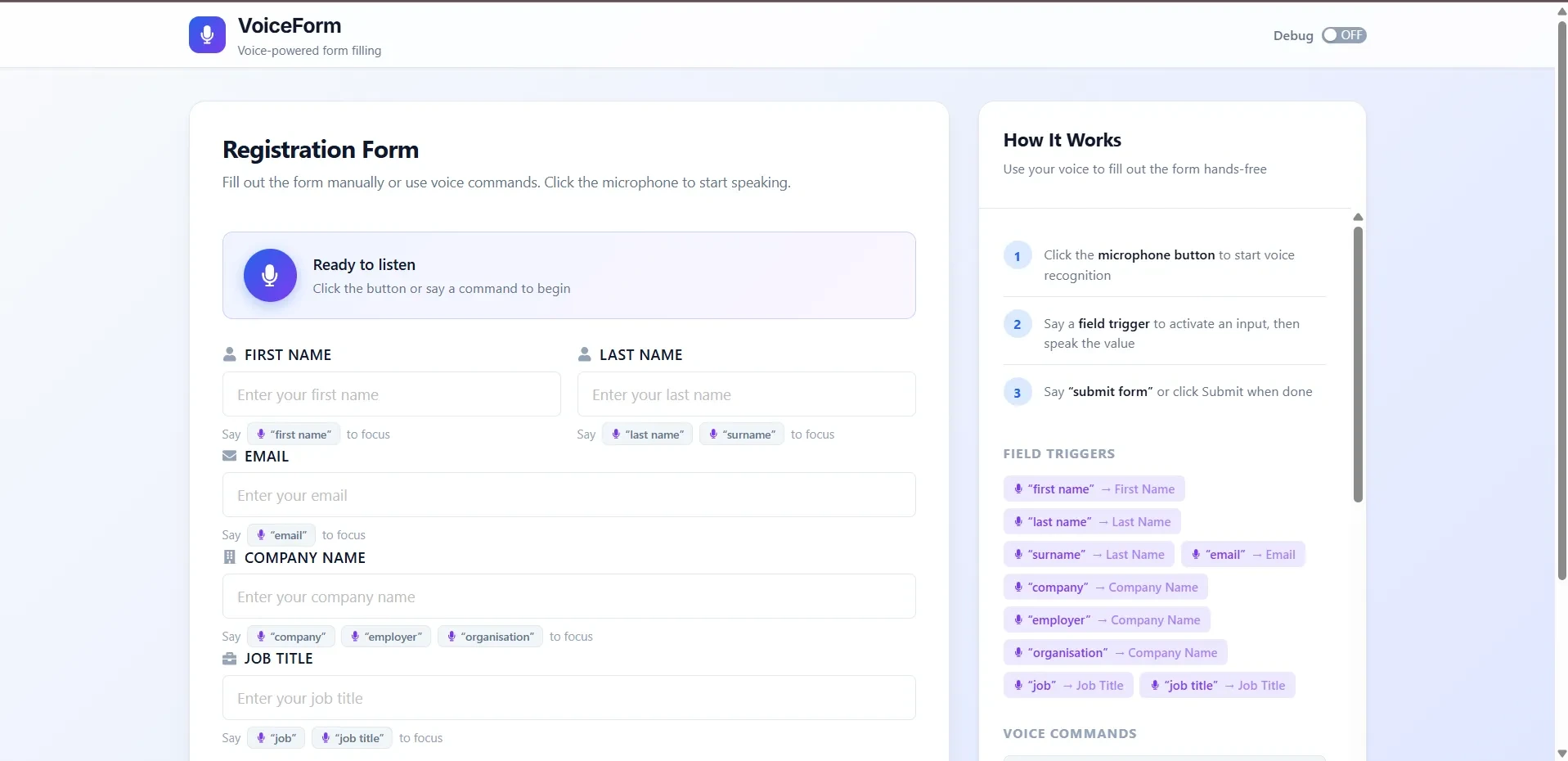
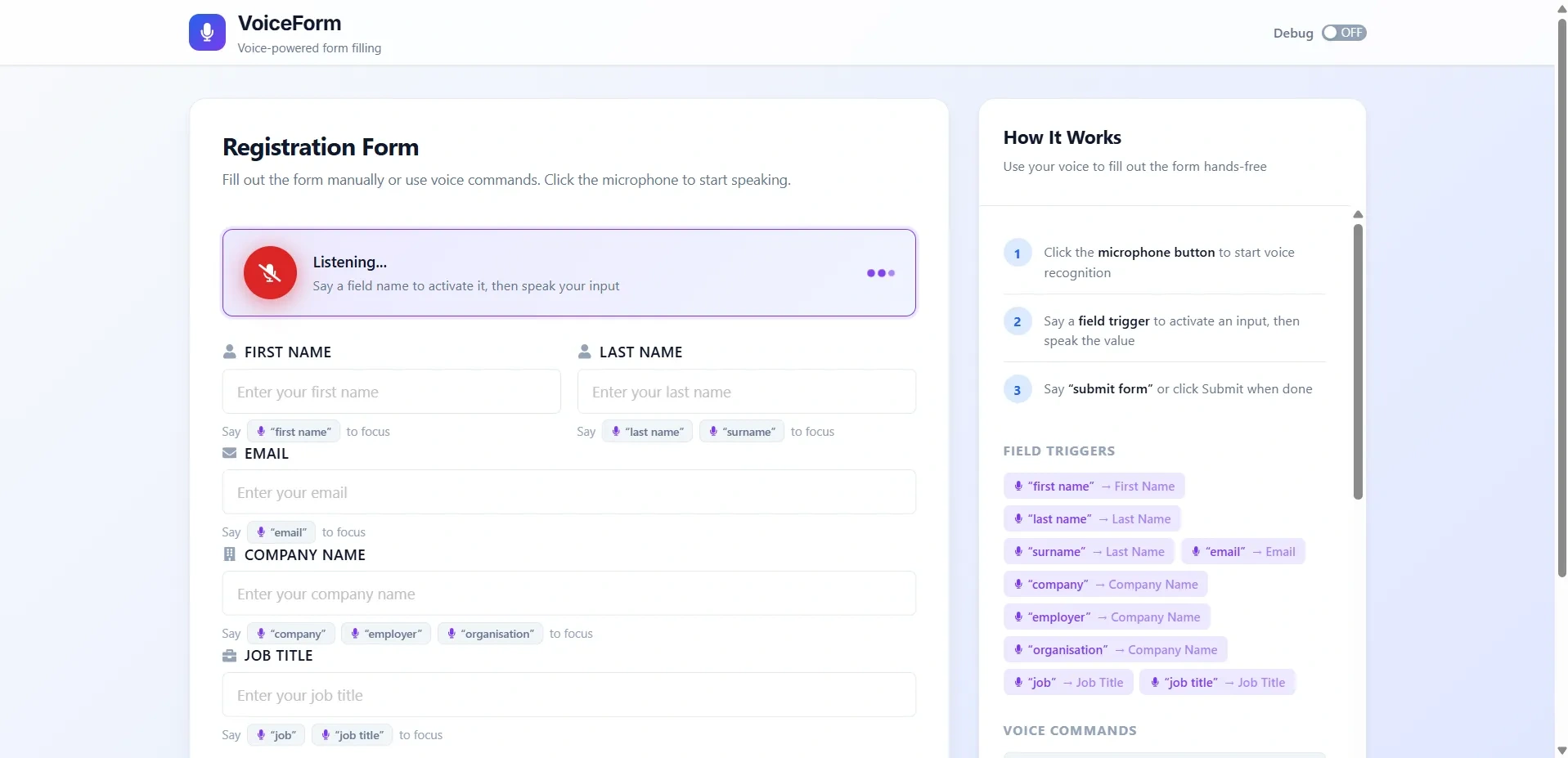
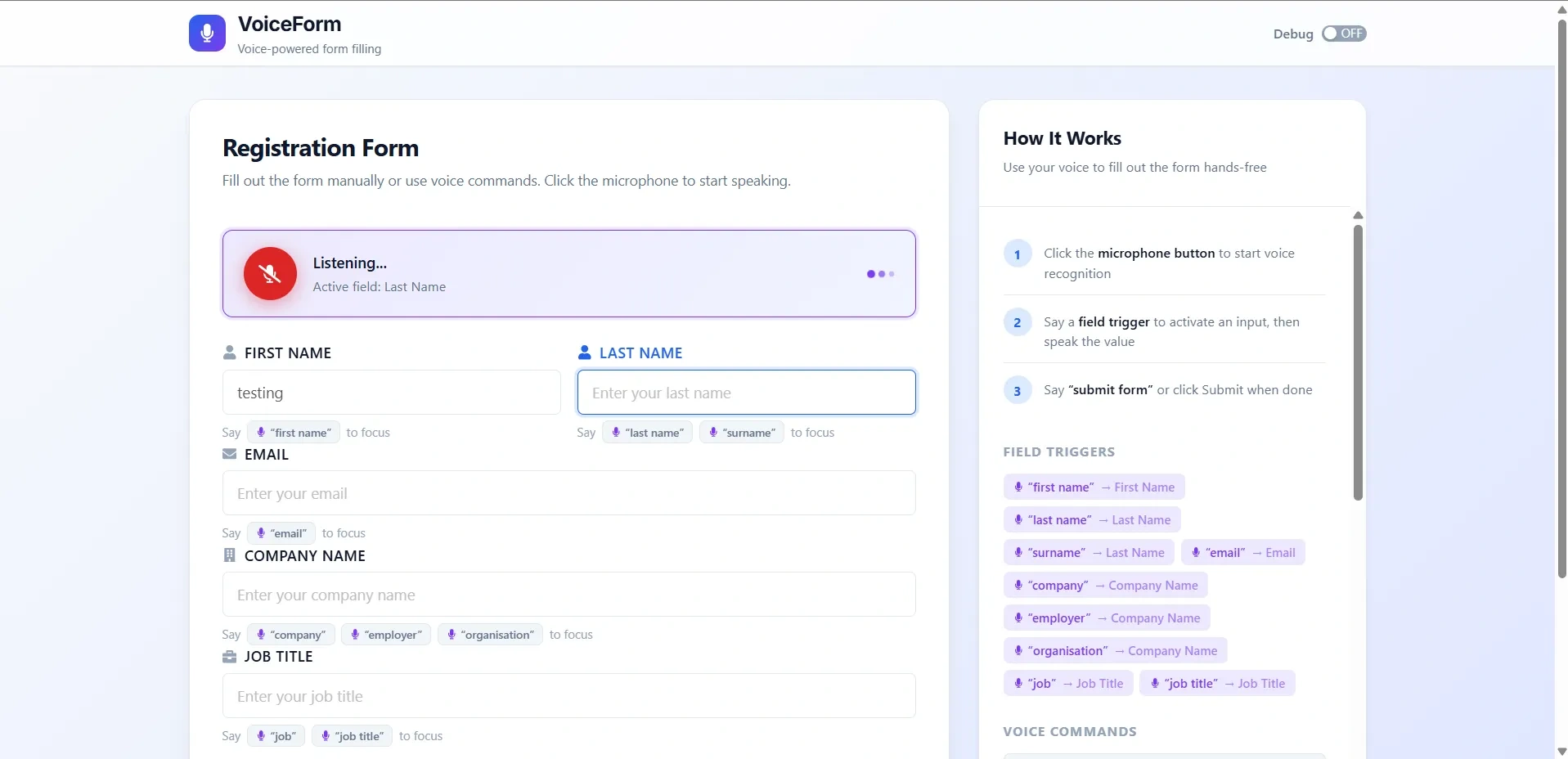
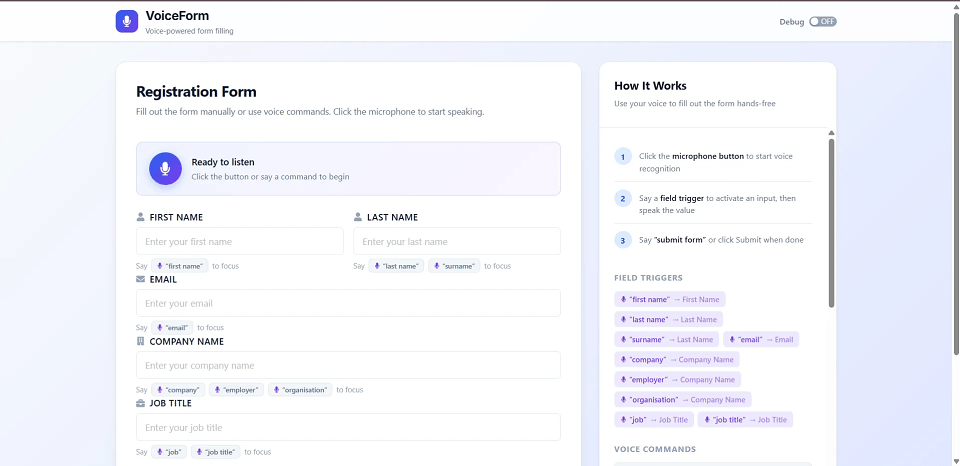
Voice Controlled Registration Form is a frontend-only React application designed to demonstrate hands-free form filling using the browser’s Web Speech API. Users can activate registration form fields using voice trigger phrases, dictate values, clear fields, reset the form, undo spoken words, submit the form through voice commands, and also use normal keyboard and mouse input when required.
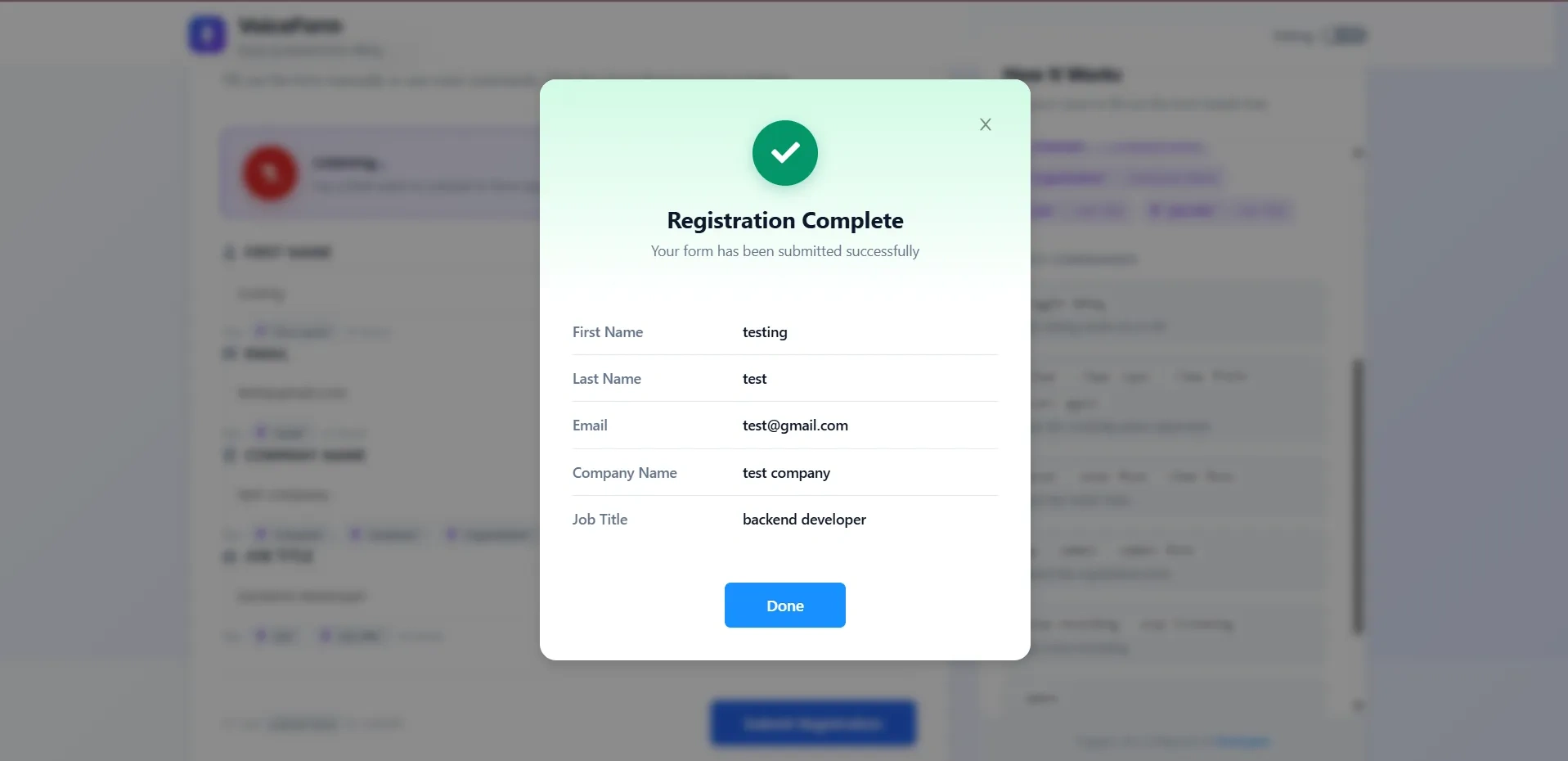
The application includes a modern single-page interface with an app header, voice control panel, registration form, help panel, success confirmation modal, debug mode, active field highlighting, responsive design, accessible controls, and continuous microphone listening. It is built using React 16.12, Create React App, Ant Design, React Icons, HTML5 Web Speech API, custom CSS, Jest, React Testing Library, ESLint, Prettier, and GitHub Pages deployment support.
This project is suitable for B.Tech, M.Tech, BCA, MCA, BE, ME, BSc, and MSc students who need a practical final year project, major project, or minor project based on voice recognition, speech-to-text input, voice command processing, accessibility-focused forms, React frontend development, browser APIs, dynamic form configuration, and modern UI design. FileMakr can provide this project with source code, project report, documentation, and setup support for academic submission.
This application does not require login or authentication.
VoiceForm is a frontend-only demo with:
The documentation confirms that there are no default credentials and no backend/database persistence.
In This Project Only User Pannel Exists
The main features include voice-controlled form filling, manual input, dynamic form schema, custom voice commands, active field highlighting, debug mode, success modal, responsive design, accessible controls, and continuous listening.
| Field | Voice Triggers | Description |
|---|---|---|
| First Name | first name |
User’s first name |
| Last Name | last name, surname |
User’s last name |
email |
Email address with auto-formatting during voice input | |
| Company Name | company, employer, organisation |
Organization name |
| Job Title | job, job title |
User’s job title |
The registration form supports field labels with icons, two-column desktop layout, active field focus ring, trigger hints, submit button shortcut hint, and both manual and voice activation
| Say This | Activates Field |
|---|---|
first name |
First Name |
last name |
Last Name |
surname |
Last Name |
email |
|
company |
Company Name |
employer |
Company Name |
organisation |
Company Name |
job |
Job Title |
job title |
Job Title |
| Command | Description |
|---|---|
toggle debug |
Turn debug mode on or off |
clear |
Clear the active input field |
clear input |
Clear the active input field |
clear field |
Clear the active input field |
start again |
Clear the active input field |
reset |
Reset the entire form |
reset form |
Reset the entire form |
clear form |
Reset the entire form |
go |
Submit the form |
submit |
Submit the form |
submit form |
Submit the form |
stop recording |
Stop voice recording |
stop listening |
Stop voice recording |
space |
Add a space at the end of active input |
undo |
Remove the last spoken word from the active input |
VoiceForm supports field activation commands and custom commands for debug, clear, reset, submit, stop recording, space, and undo actions.
form.jsonThe uploaded documentation clearly states that VoiceForm is a frontend-only demo, submissions are displayed in a confirmation modal, and data is not persisted to a database or sent to a server.
| Layer / Category | Technology |
|---|---|
| Frontend Framework | React 16.12 |
| Build Tool | Create React App, react-scripts 3.4 |
| UI Library | Ant Design 3.26 |
| Icons | React Icons 3.9 |
| Voice Input | HTML5 Web Speech API |
| Speech API | SpeechRecognition, webkitSpeechRecognition |
| Styling | Custom CSS, CSS Variables, Ant Design styles |
| Font | Inter, Google Fonts |
| Hot Reload | React Hot Loader |
| Testing | Jest, React Testing Library |
| Linting / Formatting | ESLint Airbnb Config, Prettier |
| Deployment | GitHub Pages, gh-pages |
cd VoiceForm
npm install
npm start
The app opens at:
http://localhost:3000
When prompted by the browser, allow microphone permission to use the voice input feature.
The project requires Node.js, npm/yarn, a modern browser with Web Speech API support, and a working microphone.
This application does not require login or authentication.
VoiceForm is a frontend-only demo with:
The documentation confirms that there are no default credentials and no backend/database persistence.