Facial Recognition Attendance Final Year Project | Source Code
LIMITED TIME
Get Source Code ₹99
Open Live Demo
Real project UI Full source included Opens in new tab

Tap to open live demo

Interactive live demo — verify the project before you buy

Facial Recognition Attendance Final Year Project

Live Demo

Complete final-year project source code with frontend, backend, database, and setup guide. Instant download after secure payment.

  • PYTHON Stack
  • Instant Download
Secure CCAvenue payment Instant download link WhatsApp support

Choose your plan

Source Code Only

Full ZIP with frontend, backend, database & documentation.

₹99 one-time
  • Complete project source files
  • Database script included
  • How-to-run guide

What's in your download

Review features, setup steps, and credentials before you pay.

Project Overview

Description, tech stack, and what is included

Full source Frontend + backend
Database .sql file
Setup guide README included

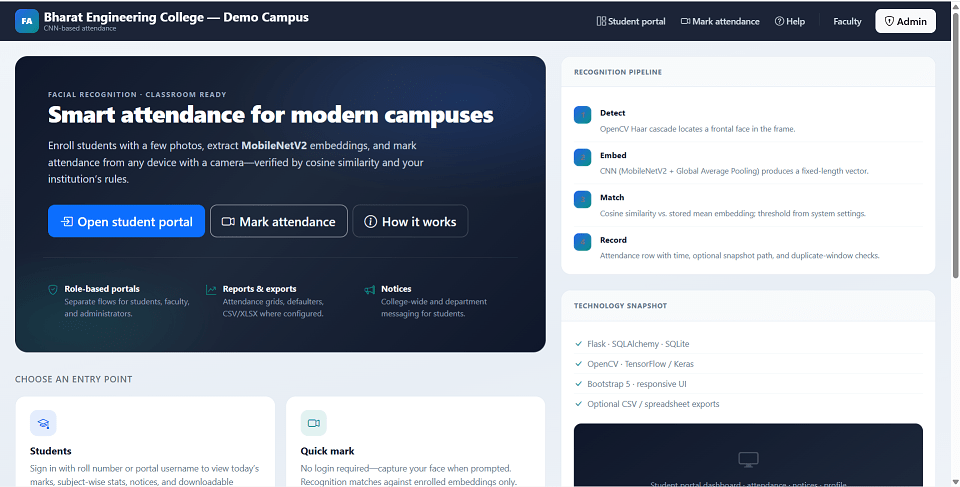
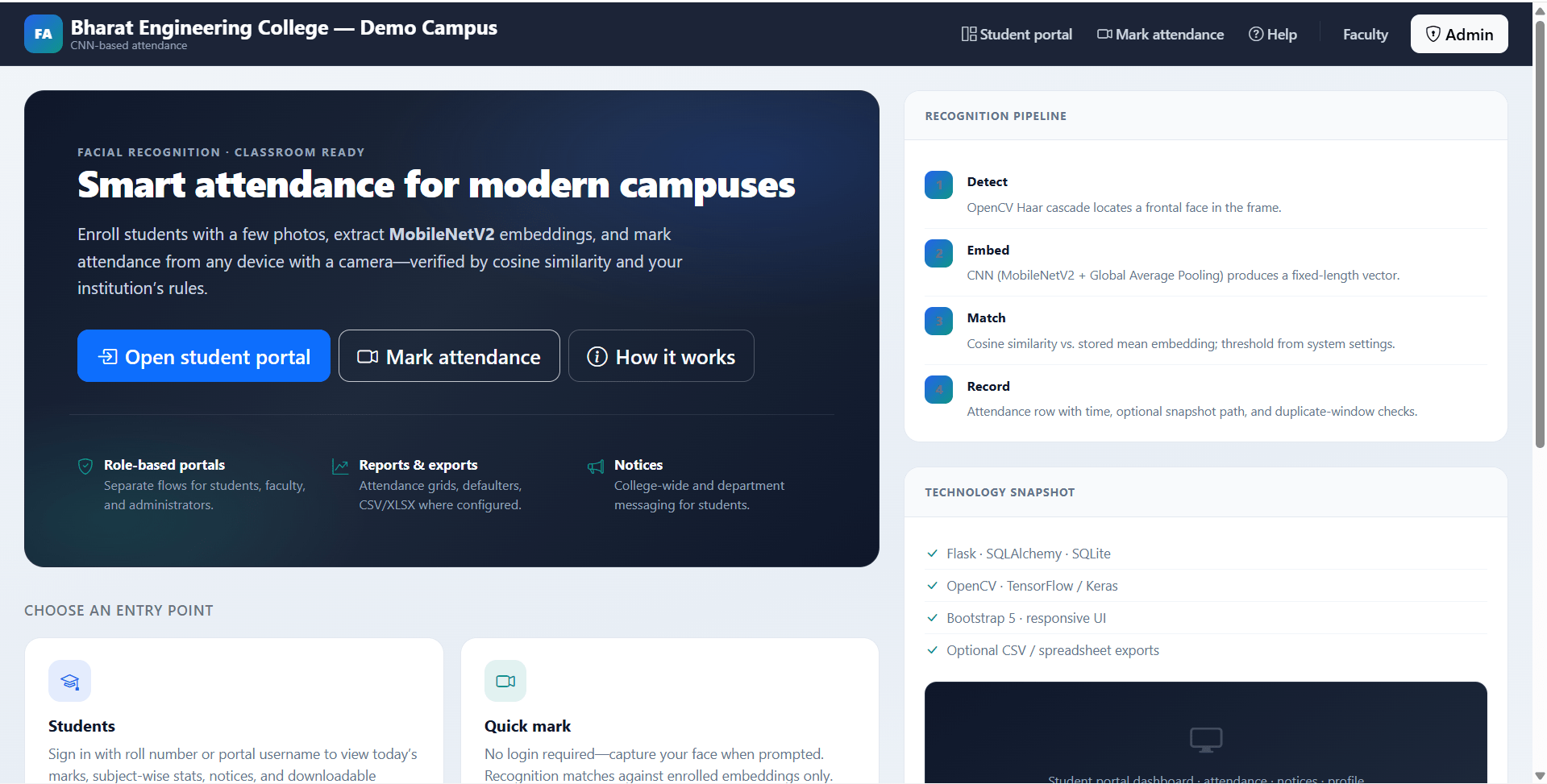
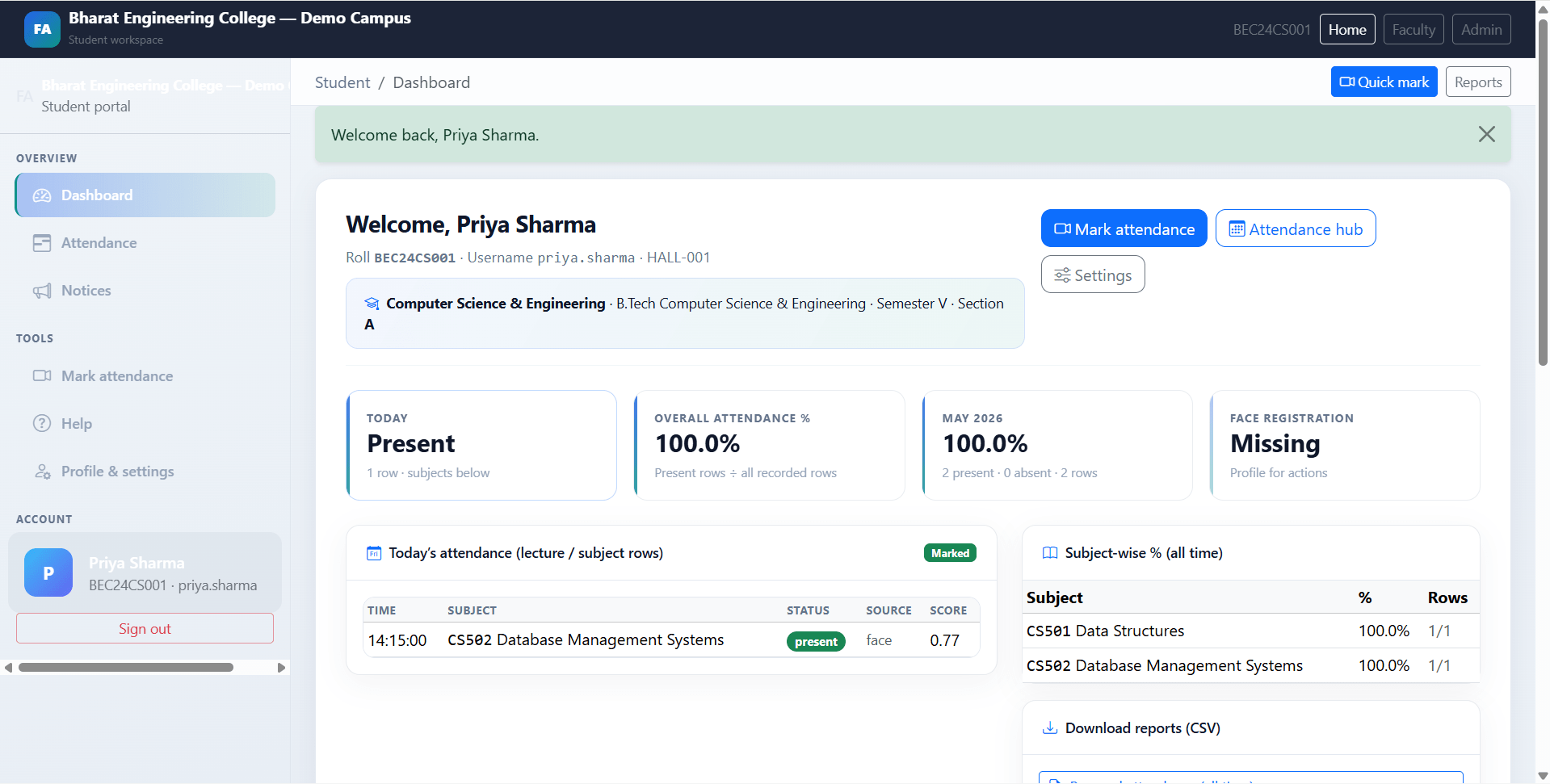
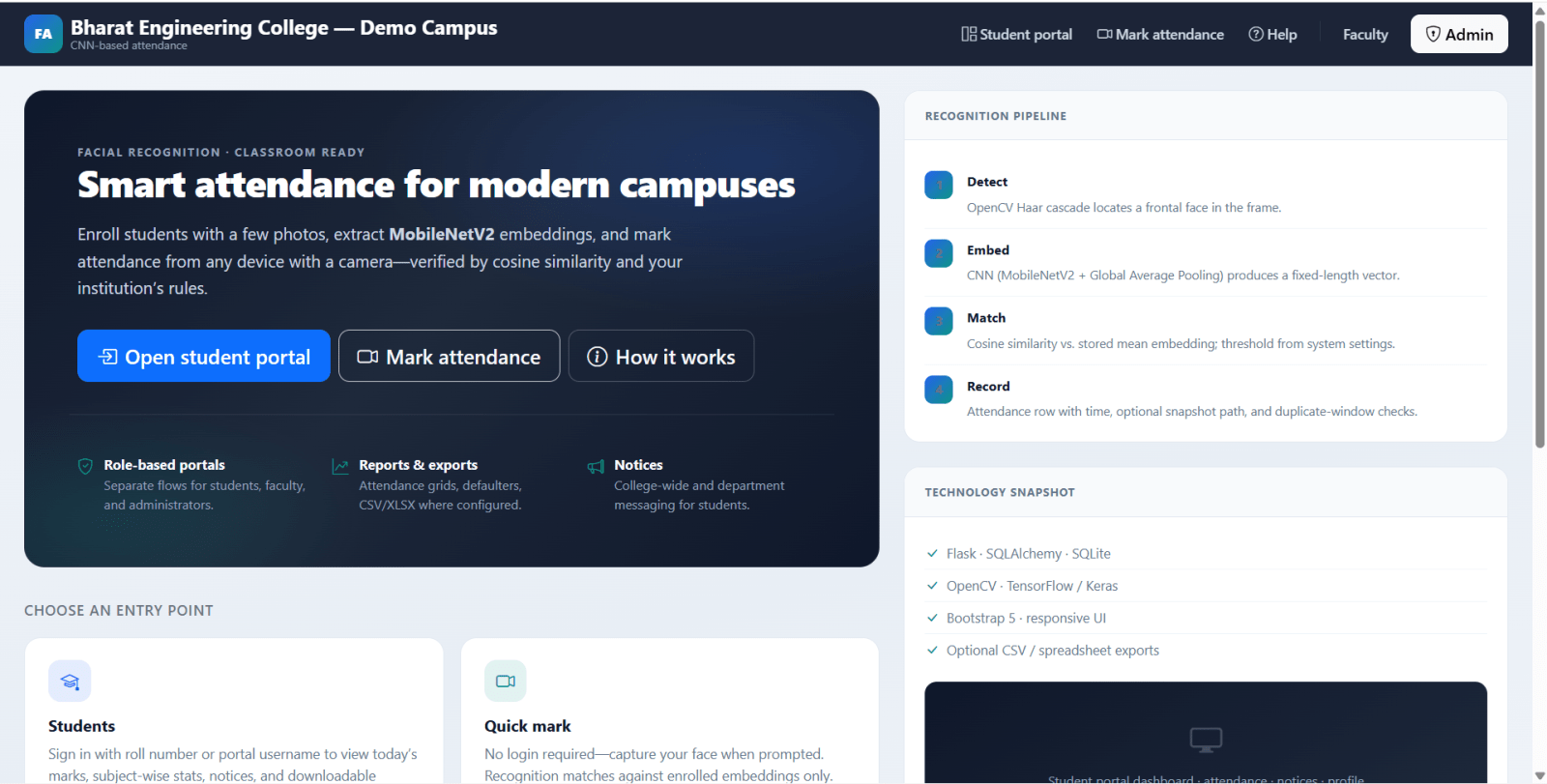
Facial Recognition Attendance System is a final year project built with Python Flask, OpenCV, TensorFlow/Keras, and SQLite for students who want an AI-based college attendance web application. This final year project uses Haar cascade face detection, MobileNetV2 embeddings, and cosine similarity matching to identify students and mark attendance through a browser camera workflow. It includes separate portals for administrators, faculty, and students. Admins can manage departments, courses, semesters, sections, subjects, faculty, students, face datasets, system settings, attendance, notices, and reports. Faculty can mark or correct attendance for assigned classes and export reports. Students can view attendance history, download CSV reports, read notices, and request face-data refresh. With configurable attendance rules, reports, and camera-based marking, this project is suitable for a final year major project in Flask, OpenCV, TensorFlow, and computer vision.

Technical snapshot

Project
Facial Recognition Attendance Final Year Project
Stack
PYTHON
Includes
Code, DB, README
License
Academic submission
Secure CCAvenue payment · Instant download · Need help? WhatsApp us

Ready to download?Pay once · Use for submission & viva

Admin Features

Modules and controls available to administrators

  • Admin dashboard for this final year project with attendance overview and management access
  • Admin profile and password change
  • System settings for college name, attendance time window, minimum attendance percentage, face threshold, and duplicate cooldown
  • Department, course, semester, and class section CRUD
  • Subject management linked to course, semester, and optional class section
  • Faculty account create, edit, activate/deactivate
  • Faculty assignment to subject and class section
  • Student create, edit, activate/deactivate, and delete
  • Student roll number, username, password, email, mobile, and class section management
  • Face enrollment image upload
  • Student embedding re-encoding
  • Face dataset view, regenerate embeddings, and delete embedding
  • Attendance grid with filters
  • Manual attendance add, edit, and delete
  • Daily, monthly, subject, student, class, and defaulter reports
  • Bulk attendance export as CSV
  • Notice create, edit, and delete

User Features

What end users can do in this application

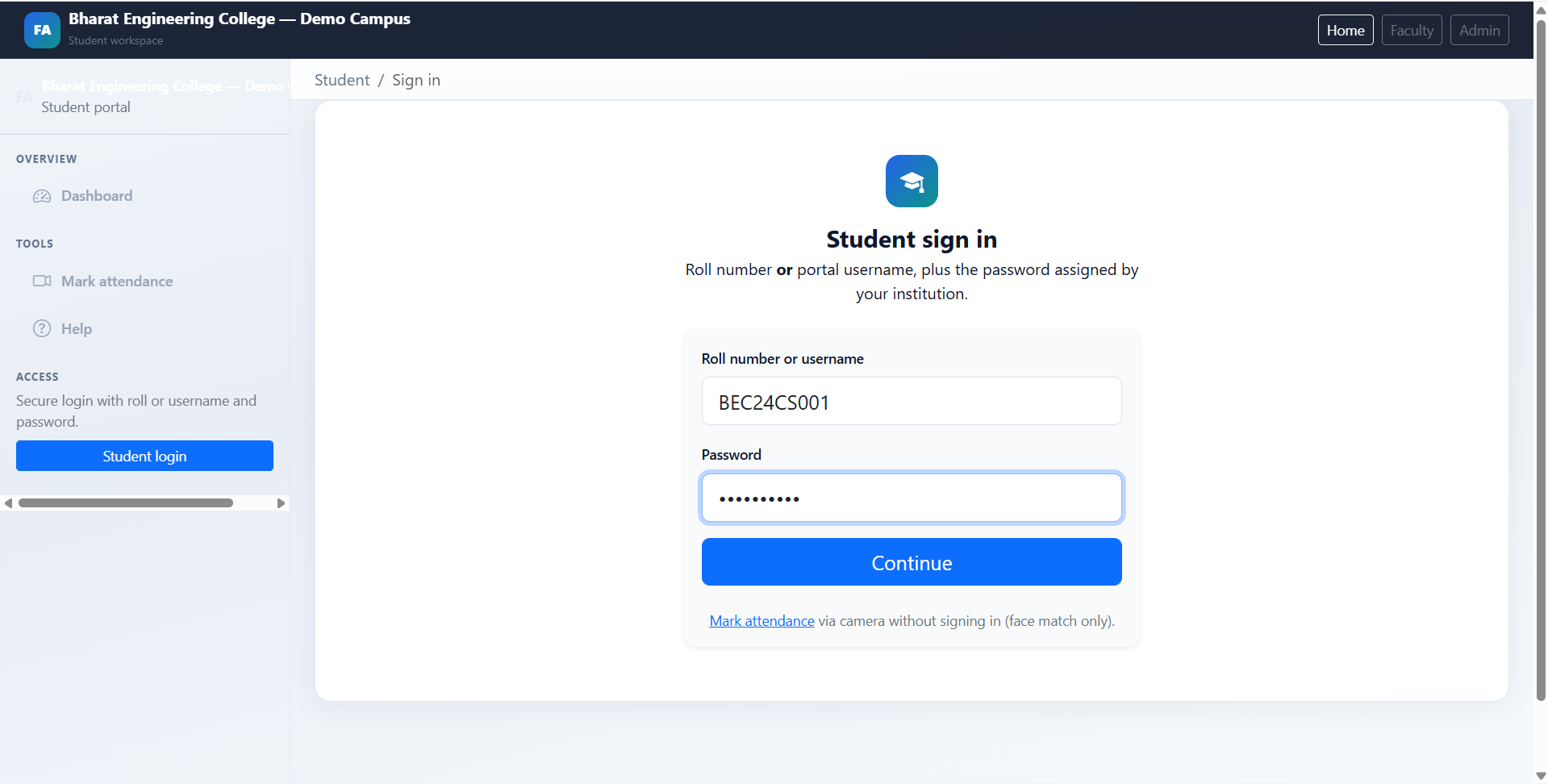
  • Student login in this final year project using roll number or portal username
  • Student dashboard with today’s attendance, stats, recent activity, notices, and enrollment summary
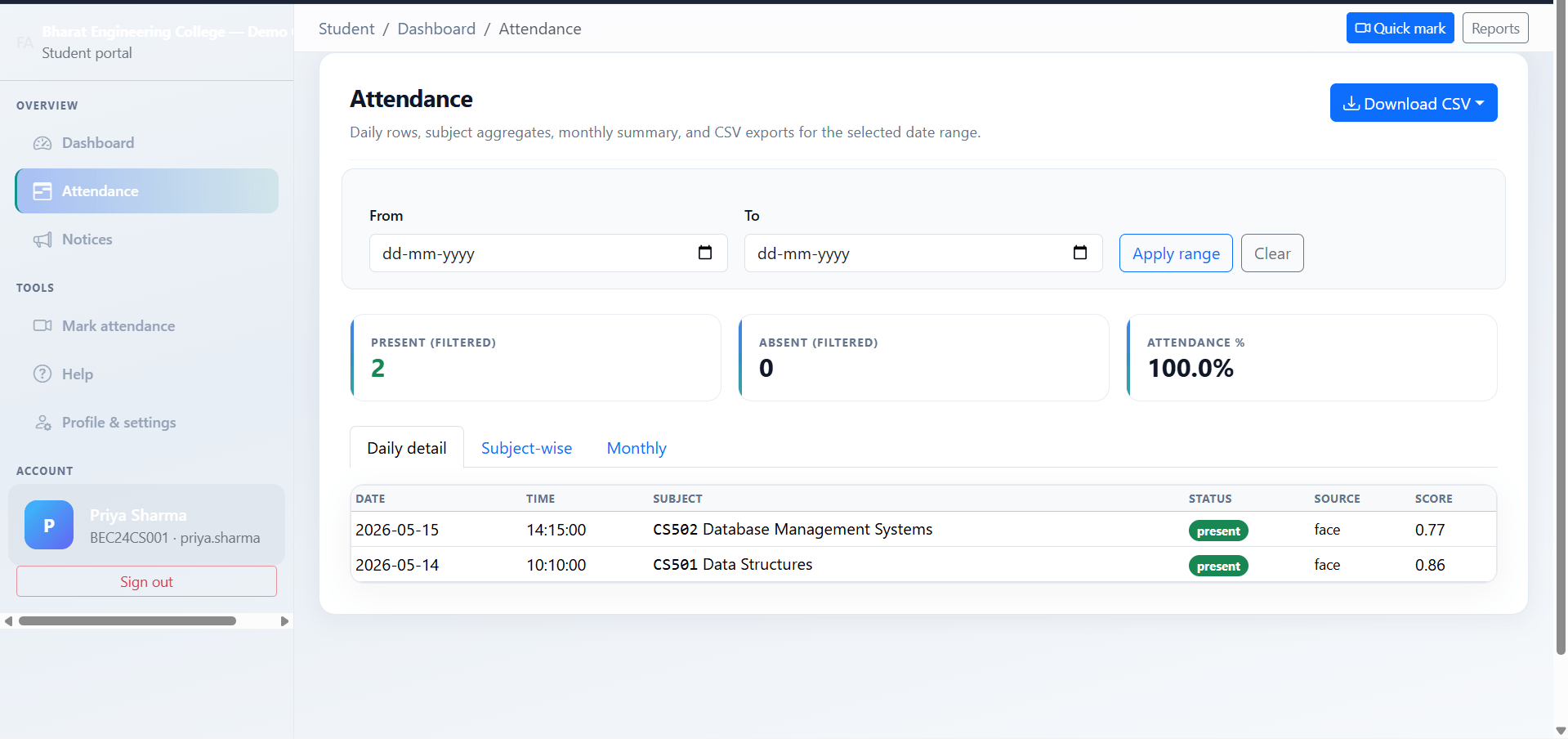
  • Personal attendance history with date filters
  • Daily detail, subject-wise, and monthly attendance tabs
  • CSV downloads for personal, subject, and monthly attendance
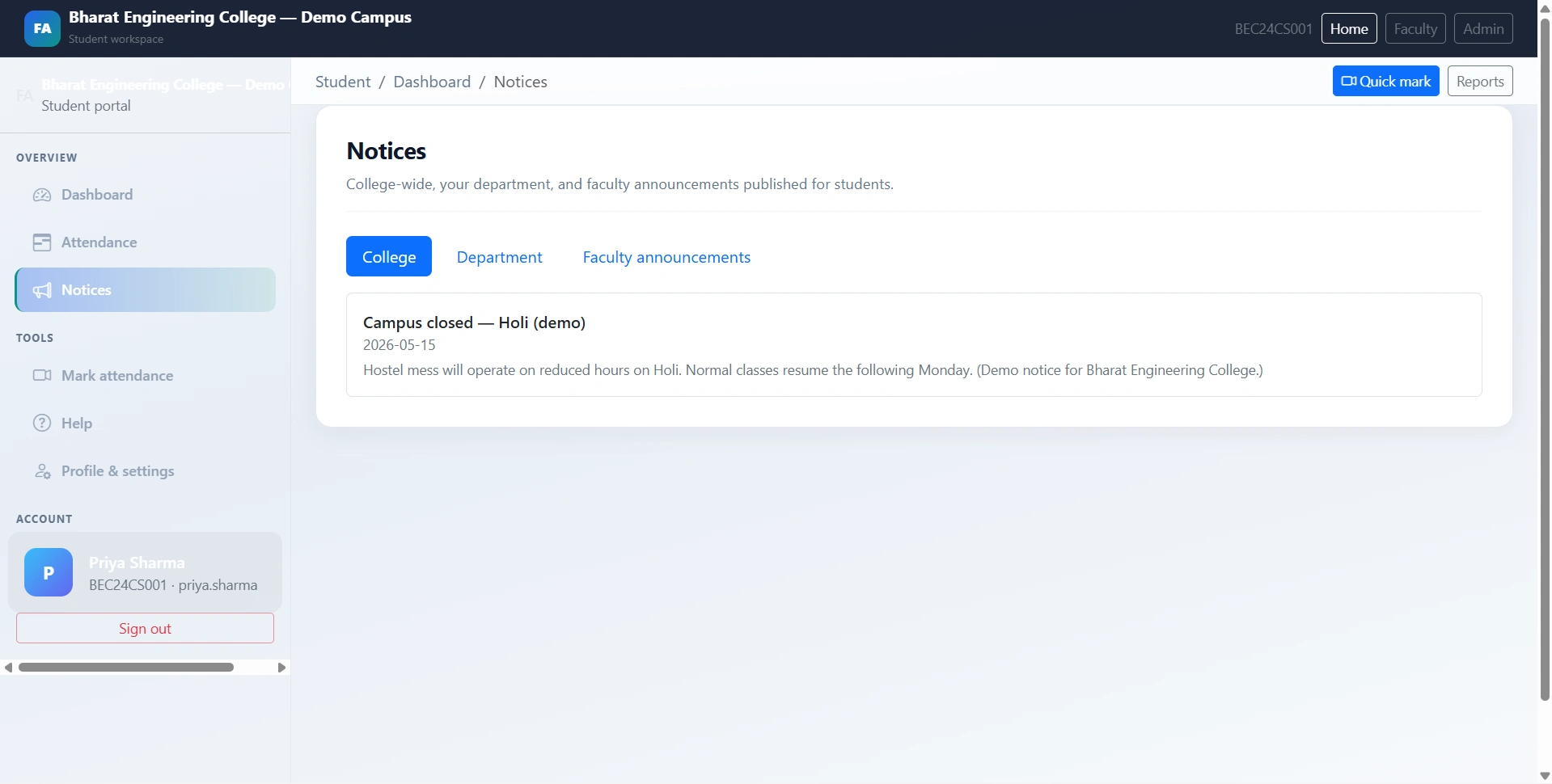
  • College, department, and faculty notices
  • Camera-based attendance marking through /student/mark
  • Recognition-only mark attendance route without login where implemented
  • Read-only enrollment identity
  • Contact update with email and mobile
  • Password update with minimum length rule
  • Face registration refresh request with optional note
  • Withdraw pending face update request
  • Help and troubleshooting page

Other Features

Additional capabilities included in the project

  • Faculty dashboard in this final year project with scoped class metrics and notices
  • My classes listing based on faculty assignments
  • Class detail view for assigned sections/subjects
  • Camera-based face attendance for assigned scope
  • Manual attendance for assigned subject and section
  • Correct mistaken attendance where permitted
  • Filterable attendance view
  • Class, subject, and student percentage reports
  • CSV/XLSX export links where implemented
  • Faculty-visible notices
  • Face update request review
  • Faculty profile update with email, mobile, and optional password change
  • Public landing page included in this final year project
  • /api/mark endpoint for base64 camera image attendance marking
  • SQLite database with lightweight migrations
  • Face snapshots stored after successful marks
  • Mean embedding files stored as .npy per student
  • Required folders auto-created at runtime
  • Bootstrap 5 and Bootstrap Icons UI
  • Optional seed data with Indian-style college demo records
  • Seed force option for resetting academic demo data
  • Suitable for final year project demo, viva, source code review, and report preparation
  • Educational disclaimer included for face recognition accuracy and production limitations

How to Run

Step-by-step setup on your laptop or PC

  • Open the final year project folder.
  • Create a virtual environment:
    python -m venv .venv
  • Activate the environment:
    • Windows: .venv\Scripts\activate
    • macOS/Linux: source .venv/bin/activate
  • Install dependencies:
    pip install -r requirements.txt
  • Optional: seed demo data:
    python seed.py
  • To reset academic demo rows and embeddings, use only when needed:
    python seed.py --force
  • Upload face enrollment photos from Admin → Students if camera recognition should work.
  • Start the final year Flask project:
    python app.py
  • Open:
    http://127.0.0.1:5000
  • Use localhost or HTTPS so browser camera access works.

Login Credentials

Default demo accounts for testing after setup

Administrator

  • Username: admin
  • Password: admin123

Faculty after seed

  • adesai / faculty123
  • rverma / faculty123

Student after seed

  • Example roll number: BEC24CS001
  • Example username: priya.sharma
  • Password: student123
  • Seed includes eight demo students: BEC24CS001 to BEC24CS008

License

Usage terms for academic and personal projects

Related Tags

Search terms and categories for this source code

Facial Recognition Attendance Final Year Project Source Code Final Year PYTHON Project Ready-to-Run Code With Database File Plagiarism-Free Faculty Approved facial recognition attendance final year project Flask face attendance system OpenCV attendance project TensorFlow attendance system CNN face recognition project MobileNetV2 attendance project Python attendance management system biometric attendance source code college attendance project final year AI project